

How to Improve Organic Visibility Automatically: An Automation-First Framework
Learning how to improve organic visibility automatically means using software to find search gaps, create or refresh content, publish updates, and track results across Google and AI answer engines. The goal is less manual work and faster action.
The searcher asking how to improve organic visibility automatically now faces more than 10 blue links. Google results include snippets, videos, local packs, product blocks, and zero-click answers. Meanwhile, AI tools such as ChatGPT and Gemini can mention brands without sending a click. A page can rank in position 6, earn no traffic, and still build demand if answer engines cite it.
Organic visibility matters because manual SEO cycles move too slowly for most teams. A small site with 100 indexable pages may miss many customer queries each month. Therefore, teams need checks for indexing, content gaps, rankings, snippets, and AI mentions in one workflow. This article explains the automated workflow, alert rules, content actions, and weekly reports that keep visibility moving.
How to improve organic visibility automatically?
To improve organic visibility automatically, connect four repeatable loops. Detect visibility problems, rank them by business impact, turn each problem into a content or SEO action, and measure the result weekly. A strong workflow runs all the time. Search demand, competitors, and AI answers can change faster than quarterly audits can handle.
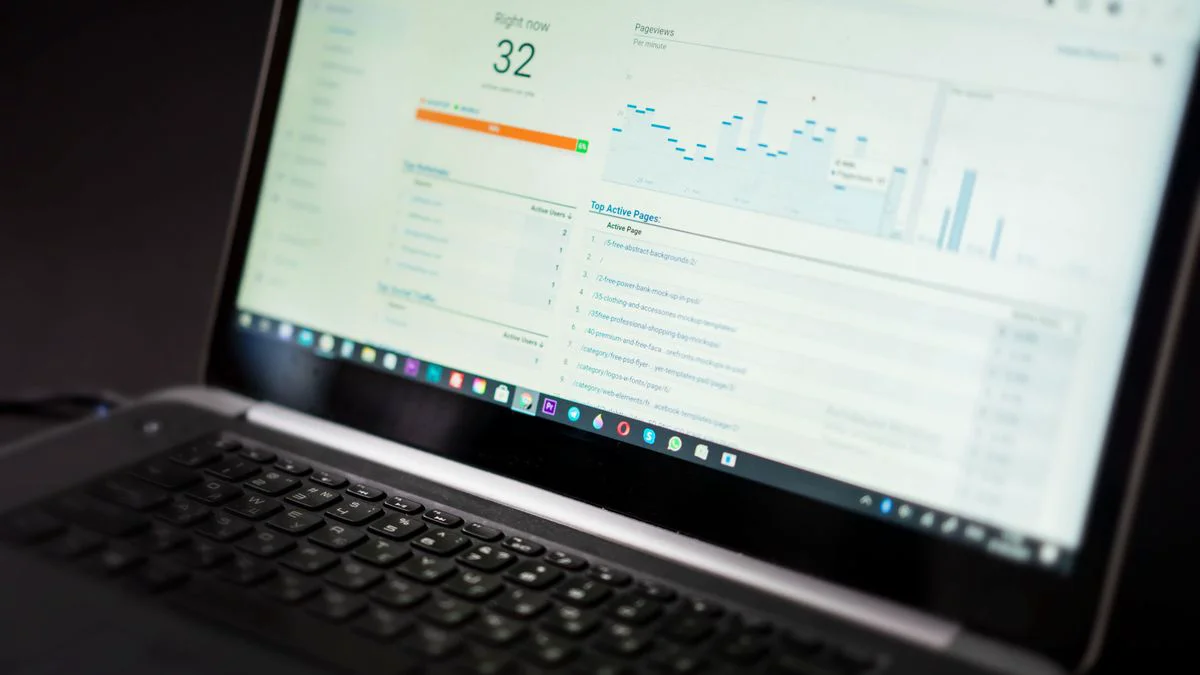
Organic visibility is the share of relevant search and answer results where a brand, page, product, or expert source can be found. Organic traffic is the visit count that comes from unpaid results. Visibility comes first. Traffic follows when a visible result earns a click, a citation, or a brand search later.
A practical automation setup watches at least 6 signal groups. These are indexed pages, query impressions, rank movement, click-through rate, content freshness, and AI answer mentions. For example, a B2B service site may see impressions rise 40% while clicks stay flat. That pattern often points to weak titles, missed snippets, or queries where AI answers satisfy the user before the click.
Rule of thumb: treat organic visibility as a leading indicator and organic traffic as a lagging indicator; review visibility signals every 7 days and revenue signals every 30 days.
Automation does not remove strategy. Instead, automation removes the slow work around exports, briefs, drafts, publish steps, and recurring checks. A founder can then decide whether the next 10 articles should target bottom-funnel questions, product comparisons, or AI-readable definitions.
How to improve organic visibility automatically starts with visibility, not traffic
Organic visibility measures how often a brand can be found in unpaid search results and AI answers. Organic traffic measures the visits those placements generate. A page can gain visibility before it gains traffic. This often happens on informational queries where featured snippets or AI answers reduce clicks.
Search visibility has at least 4 layers. First, a page needs discovery and indexing. Next, search engines must match it to queries. After that, the result must appear in a useful format. Examples include a list result, snippet, video, image, or local result. Finally, the page must earn a click or influence a later brand action.
Visibility signals that come before clicks
Many teams wait for traffic drops before they react. However, an automated system can act earlier. Impressions, average position, indexed page counts, and query coverage often move before sessions change. For instance, a page that slips from position 3 to position 8 can lose many clicks while still showing as indexed and active.
The traffic relationship also depends on intent. A buyer query such as AI SEO platform for agencies may send fewer visits than a broad query. However, each visit can carry more value. In contrast, a how-to query may send more visits and still create fewer leads. Automated scoring should weigh both demand and fit.
How AI answers change the visibility goal
AI answer engines turn visibility into a citation and mention problem. A brand needs clear definitions, direct answers, proof points, and structured sections that machines can parse. If an AI answer names 3 vendors and omits your brand, your visibility gap exists even if your Google rank looks stable.
Seonix treats search and AI visibility as one growth system. The platform analyzes customer queries, generates optimized content, publishes articles, and tracks performance over time. For a deeper view of tool roles, the guide to automating rankings and publishing tasks explains how software replaces repeat manual checks.
Diagnostic Matrix for How to Improve Organic Visibility Automatically
| Visibility problem | Automatic detection signal | Priority trigger | Recommended content or SEO action |
|---|---|---|---|
| Pages not indexed | Index count drop | 5% weekly loss | Check sitemap, canonical, robots rules |
| Query impressions falling | Search query decline | 20% drop in 14 days | Refresh intent match and internal links |
| High impressions, low clicks | CTR below baseline | Below 1% on page 1 | Rewrite title, meta angle, snippet block |
| Ranking decay | Position loss | 3+ spots lost | Update depth, examples, FAQs |
| Content gap | Competitor query present | 3 rivals visible | Create cluster article or section |
| Weak AI mentions | Brand omitted in answers | 0 mentions across core prompts | Add definitions, proof, comparison content |
| Thin topical authority | Few supporting pages | Under 5 cluster assets | Build hub, internal links, related briefs |
| Technical crawl waste | Duplicate URLs crawled | Duplicate set growing | Fix canonicals and noindex rules |
Automatic prioritization works best when each alert ties to a next action. A drop in indexed pages needs a technical check. Meanwhile, a drop in clicks from stable impressions needs a snippet and title check. Treating both alerts the same wastes time and delays recovery.
A real scenario shows the value. A local services website with 80 articles may see 12 pages lose impressions after a site redesign. Automated checks can flag changed canonicals, missing sitemap entries, and title rewrites within the same week. As a result, the team does not need to wait for a monthly report.
Local, ecommerce, and niche visibility factors
| Site type | Visibility factors to monitor | Automated action |
|---|---|---|
| Local | Location pages, service-area queries, local pack terms, reviews, opening hours, and name, address, and phone consistency | Flag missing service pages, outdated business details, review gaps, and declining local query impressions |
| Ecommerce | Product schema, category page coverage, inventory status, review content, price availability, product variants, and internal links from categories to products | Refresh category copy, update structured product details, prioritize in-stock products, and create content for product comparison and buying-guide queries |
| Niche | Specialist terminology, community-specific questions, technical modifiers, long-tail problem wording, and expert proof points | Create glossary sections, answer niche customer questions directly, and add examples that match the language used by the target community |
The diagnostic matrix also helps teams avoid false fixes. If impressions rise but clicks fall, the problem is not discovery. The page needs a stronger answer format, clearer title, or a better match to the result type.
Watch out: a traffic drop of 15% can hide 3 separate issues: indexing loss, rank decay, and lower click-through rate. Separate the signals before choosing a fix.
Which workflow shows how to improve organic visibility automatically?
The workflow for how to improve organic visibility automatically starts with data intake. Then it moves through diagnosis, brief creation, AI-assisted drafting, quality control, publishing, and weekly measurement. Each step should produce a clear output. Examples include an alert, a brief, a live URL, or a refresh ticket.
A good automation workflow uses decision rules, not random content volume. For example, a query with 500 monthly impressions, position 9, and high product fit should outrank a broad query with 5,000 impressions and weak buying intent. The first query sits closer to revenue and may need only one strong article update.
Step 1: Pull signals into one weekly view
Start with index status, impressions, clicks, average position, published URLs, internal links, and AI prompt results. The system should group data by topic, not only by page. Topic grouping shows whether your whole cluster wins or one article carries all visibility.
Teams that need a repeatable format can use Weekly SEO Report Template for Visibility Decisions as a reporting layer. A weekly report should show 7-day changes, 28-day trends, active alerts, shipped content, and next actions. Additionally, that format keeps SEO decisions close to business outcomes.
Weekly report template for how to improve organic visibility automatically
A weekly template should turn raw SEO data into decisions. Additionally, it should show which alerts fired, which pages changed, which content shipped, and which actions need approval next.
Step 2: Turn gaps into briefs and tasks
Automated briefs should include the target query, search intent, missing subtopics, internal link targets, answer format, and expected result type. A brief for featured snippets should ask for a concise answer near the top. For AI answers, the brief should include definitions, comparisons, and clear entity references.
Content gaps need special handling because many gaps hide inside real customer wording. A SaaS company may rank for project management software but miss queries like how to reduce missed deadlines automatically. The supporting guide on Content Gap Analysis for Customer Queries You Miss covers how to turn missed queries into content plans.
Organic visibility grows faster when every alert creates a specific next action, not another report for someone to interpret later.
Step 3: Publish and connect the content
Publishing automation matters because draft queues create lost weeks. An article that waits 21 days for upload cannot rank, gather impressions, or teach the next workflow cycle. Seonix can publish directly to existing websites through integrations such as a custom REST API. Therefore, teams can ship content without copying blocks by hand.
For WordPress teams, direct publishing and optimization support can reduce routine content ops. Teams can pair automated briefs with WordPress SEO automation so articles move from approved draft to live page with fewer manual steps.
How can automated content generation and publishing improve rankings for customer searches?
Automated content generation and publishing can help improve rankings. It creates consistent, intent-matched pages for real customer queries. It also refreshes older assets before they decay. The system works best when it combines query research, topical clusters, quality checks, internal linking, and fast publishing into one workflow.
Keyword research should not stop at seed terms. Automation can find untapped opportunities from competitor gaps, internal site search, sales calls, support questions, and Search Console query data. A useful system scores each query by search demand, current position, business fit, difficulty, and content type.
Build content clusters instead of isolated posts
Topical authority can grow when a site covers a subject with a main pillar page and several useful supporting pages. A cluster might include one broad guide, 8 supporting how-to articles, 3 comparison pages, and 2 refresh pages for fast-moving terms. Internal links then pass context between pages and help crawlers find the whole set.
Seonix fits this model because it handles research, writing, optimization, and publishing together. Teams that want the content production side mapped in more detail can review an automated content workflow for small teams. The key is steady output tied to measured demand, not a one-time blog push.
Match search intent and answer format
Search intent alignment means the page gives the format the query expects. A definition query needs a short answer first. A comparison query needs criteria and trade-offs. A troubleshooting query needs symptoms, checks, and fixes. Automated briefs can enforce these patterns before the first draft exists.
Quality control still matters. AI-generated content should pass checks for factual accuracy, duplicate angles, brand voice, internal links, and useful examples. A review process based on AI content review steps helps keep automation safe while still saving manual work.
Tip: for answer-ready pages, place a direct 40 to 100 word answer under the main heading, then support it with examples, lists, and evidence. That structure works for readers and machine extraction.
How should visibility be tracked across Google search results and AI answer engines?
Visibility should be tracked with a blended dashboard. It should cover rankings, impressions, clicks, indexed pages, snippet ownership, AI answer mentions, and content actions shipped. Google and AI engines answer different user moments. Therefore, a single traffic chart cannot explain organic growth or decline.
For Google search results, track weekly changes in index coverage, total impressions, clicks, click-through rate, average position, page 1 keywords, and pages gaining or losing queries. A 28-day view helps smooth daily noise. A 7-day alert helps teams catch technical or ranking issues fast.
User experience and engagement signals beyond CTR
CTR and click behavior show whether a result attracts attention. However, automated tracking should also watch the experience after the visit. Useful engagement signals include scroll depth, time on page, return-to-results behavior, internal link clicks, form starts, assisted conversions, page speed, mobile usability, layout stability, and whether readers reach key answer sections. These signals help separate a weak search snippet from a page that earns the click but fails to satisfy the user.
AI answer visibility metrics
AI tracking needs a prompt set. Start with 20 to 50 prompts that match buyer questions, comparison searches, and problem-aware research. Then run the same prompts on a set schedule. Record whether the brand appears, which competitors appear, what sources are cited, and which claims repeat.
Brand mentions in AI answers depend on clear entity signals, useful source pages, and repeated topical evidence. The article on earning more AI brand mentions explains tactics such as direct-answer pages, comparison content, and consistent proof points.
Indexing and Search Console diagnostics
Indexing verification sits at the base of visibility. If a page is not indexed, it cannot rank for normal search results. Common causes include noindex tags, blocked crawling, canonical tags pointing elsewhere, redirect mistakes, thin duplicate pages, and sitemap omissions.
When a website is missing from search, start with crawl access, index status, canonical target, sitemap inclusion, and internal links. The supporting article Website Not on Google? Diagnose Indexing Issues gives a focused troubleshooting path for pages that do not appear at all.
Practical recommendations for how to improve organic visibility automatically
The fastest practical gains often come from fixing index blockers, refreshing pages with declining impressions, creating content for high-fit gaps, and improving snippets on pages that already get impressions. Automation should rank these actions by impact and effort so teams ship the right work first.
Use an impact and effort score from 1 to 5. Impact should include business fit, search demand, current visibility, and conversion path. Effort should include writing time, technical work, approvals, and design needs. A page refresh with impact 4 and effort 2 should beat a new article with impact 3 and effort 5.
Tactics to prioritize first
- Fix pages that lost indexing or canonical status during the last 7 days.
- Rewrite titles for pages with page 1 impressions and CTR below 1%.
- Refresh articles that lost 3 or more average ranking positions in 28 days.
- Create content for missed customer queries where 3 competitors already rank.
- Add direct-answer sections to pages with snippet or AI answer potential.
- Build internal links from high-traffic pages to new cluster content.
- Update older pages with current examples, FAQs, and stronger E-E-A-T signals.
Before-and-after automation example
Consider a software company with 120 published articles and 30 core buyer queries. The automated audit finds 9 articles with falling impressions, 6 pages with high impressions and low clicks, 14 missing internal links, and 11 unanswered customer queries. The system creates 9 refresh briefs, 6 title tests, 14 link tasks, and 11 new article briefs.
After 4 weeks, the team has shipped 40 actions without running a manual spreadsheet cycle. The useful result is not only more content. More value comes from a tighter feedback loop where search data creates content work, and published work creates new data.
Good to know: backlinks and authority signals still matter, but content clusters can make outreach easier because each topic has more useful pages to reference. E-E-A-T signals can also be supported when pages show clear experience, authorship signals, and specific examples.
Conclusion: how to improve organic visibility automatically with a repeatable system
The answer to how to improve organic visibility automatically is a system, not a single tactic. Strong workflows detect indexing problems, find untapped queries, generate and publish useful content, improve snippets, monitor AI mentions, and report the next action every week. Search rankings, AI answers, and zero-click results all need clear measurement.
Automation works because organic visibility has too many moving parts for manual checks alone. A durable system watches technical health, content quality, topical authority, internal links, and answer-engine presence at the same time. Then it turns each signal into a task that can ship.
The best results come when teams stop treating SEO as a monthly audit and start treating it as a weekly production system. We would rather publish 4 well-briefed, measurable updates every week than plan 30 vague ideas that never go live. That bias toward shipped work shapes how we build at Seonix.
FAQ
These answers cover the most common checks teams run when automated visibility changes.
How long does it take to improve organic visibility automatically?
Organic visibility may show early movement within a few weeks when the first actions fix indexing, titles, internal links, or content gaps. Traffic often needs more time because rankings, click behavior, and AI mentions change at different speeds. A 90-day view often gives a better read on compounding gains.
Why is my indexed page getting no organic traffic?
An indexed page may get no traffic because it targets a weak query, ranks too low, misses search intent, has a poor title, or appears in a zero-click result. Check impressions first. If impressions exist but clicks are low, improve the title, answer format, and snippet match.
Can automated content hurt SEO?
Automated content can hurt SEO if it publishes thin, duplicate, inaccurate, or off-intent pages at scale. Strong systems prevent that with briefs, quality checks, internal linking rules, and performance monitoring. Automation should increase useful output, not bypass editorial judgment.
How do AI answer engines affect organic visibility?
AI answer engines affect organic visibility by showing answers that may cite or mention brands without sending a click. Track prompts, brand mentions, cited sources, and repeated competitor names. Then create direct, well-structured pages that answer customer questions clearly and support claims with specific examples.
What should a weekly visibility report include?
A weekly visibility report should include indexed page changes, impressions, clicks, CTR, rank movement, AI mentions, shipped content, triggered alerts, and next actions. Keep the report action-led. Each alert should map to a fix, such as refreshing a page, adding links, or checking canonicals.
If you want to learn how to improve organic visibility automatically without building the system by hand, start with automated articles that target real customer queries. You can try Seonix with 3 SEO articles in 3 days and see how automated content production fits your site.
Sources and further reading
Official documentation and primary sources for the practices covered in this article:
- Google Search Essentials — The baseline technical, spam, and content requirements for appearing in Google Search (accessed July 2026).
- Performance report — Google Search Console Help — Official reference for clicks, impressions, CTR, and average position data (accessed July 2026).
- Core Web Vitals — web.dev — Google's user-experience metrics (LCP, INP, CLS) with passing thresholds (accessed July 2026).