

A weekly SEO report is a recurring visibility decision document that tracks organic search changes, explains likely causes, and assigns clear fixes for the next seven days for teams deciding how to improve organic visibility automatically.
This weekly cadence matters because rankings, indexing, snippets, and AI answers can shift before monthly traffic charts show the damage. A page can lose 12 positions on a high-intent query on Tuesday, then show a lead drop by Friday. Fast reporting gives your team time to act while the problem is still small.
This article shows you how to build a practical reporting template for organic visibility decisions. You will learn which metrics to review, which thresholds signal real problems, how to connect symptoms to fixes, and how to trigger content refreshes or new articles automatically.
What is a weekly SEO report for visibility decisions?
A weekly SEO report for visibility decisions turns search data into action rules, not just charts. The report should show what changed, why it likely changed, what risk it creates, and what action should happen next. Visibility means how often your site appears across search results, snippets, local packs, image results, and AI-generated answers.
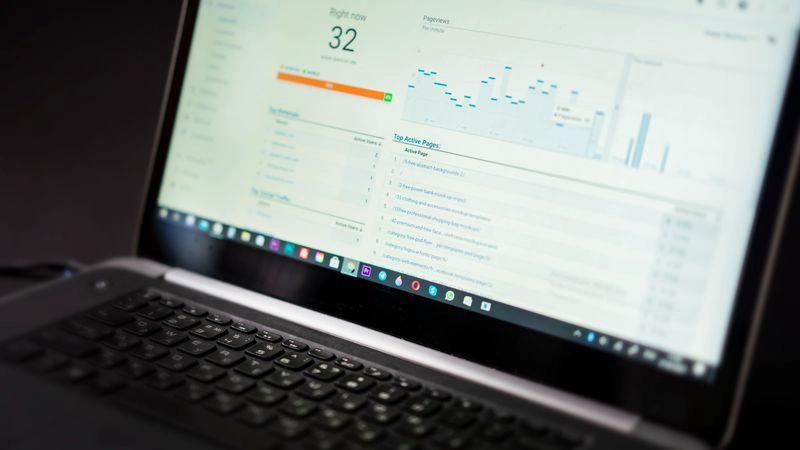
Organic visibility and organic traffic connect closely, but they are not the same metric. Visibility can fall before sessions drop because rankings, impressions, and answer placements often move first. For example, a B2B software page may keep the same clicks for one week while impressions fall 18%, which signals demand is starting to shift away from that page.
Good to know: A weekly report should flag change, not noise. For most growing sites, a 5% traffic swing needs context, while a 20% drop on a money page deserves immediate review.
Low organic visibility usually comes from one of four sources: technical access, content mismatch, authority gaps, or demand changes. The weekly format works because each source leaves a different data pattern. Indexing loss shows in coverage and impressions. Intent mismatch shows in ranking drops and poor engagement. Authority gaps show in lost positions against stronger pages.
Search results also include more zero-click behavior than older reports measured. Answer engines, AI Overviews, featured snippets, and direct answers can reduce clicks even when impressions rise. Therefore, a modern report should track visibility quality, not only traffic volume.
Weekly SEO Report Template: Metrics, Thresholds, and Actions for how to improve organic visibility automatically
| Report Section | Metric or Signal | Alert Threshold | Likely Cause | Recommended Automated Action |
|---|---|---|---|---|
| Visibility | Organic impressions | Down 15% week over week | Ranking loss or lower demand | Create visibility audit task |
| Traffic | Organic clicks | Down 20% on key page | Snippet loss or intent drift | Queue title and intro refresh |
| Rankings | Priority keywords | Drop 5+ positions | Competitor gain or stale page | Generate refresh brief |
| Indexing | Indexed pages | 3+ important URLs removed | Noindex, canonical, crawl issue | Run technical check |
| Discovery | New query impressions | 10+ relevant queries emerging | Untapped demand | Create article brief |
| Content | Page age and decay | 90+ days plus declining clicks | Outdated depth or examples | Schedule content refresh |
| Authority | Referring domains | Lost links from key pages | Link removal or redirect error | Flag authority review |
| AI Visibility | Brand mentions in answers | Absent for 3 core topics | Weak entity signals | Add answer-first sections |
Weekly SEO report decision zones
A useful template separates weekly data into decision zones: visibility, traffic, rankings, indexing, discovery, content, authority, and AI visibility. Each zone needs one metric, one alert threshold, one likely cause, and one action. The table above gives a working structure your team can copy into a dashboard or automation workflow.
Additionally, alert thresholds should match page value. A 10% drop on a low-value blog post may not matter, while a 10% drop on a demo page can affect pipeline. For a site with 100 indexed pages, three missing commercial URLs should trigger a higher alert than ten missing tag pages.
Rule of thumb: Treat a weekly 20% click drop, a 15% impression drop, or a 5-position ranking loss as a decision point when the affected page targets revenue or qualified leads.
Weekly SEO report action thresholds
One real-world scenario shows why the template needs thresholds. A service company sees clicks fall from 420 to 318 on its main location page in one week, a 24.3% drop. Rankings show two priority queries moved from positions 4 and 5 to positions 9 and 11, so the report assigns a refresh task instead of opening a broad technical investigation.
Which visibility metrics should be reviewed every week?
Every weekly SEO report should review impressions, clicks, click-through rate, average position, indexed URLs, priority keyword movement, converting page traffic, new query discovery, and AI or snippet visibility. These metrics cover the full search path from discovery to action. Together, they show whether your site is visible, attractive, accessible, and useful.
Core weekly SEO report visibility and traffic metrics
Start with organic impressions because impressions show whether search engines still expose your pages. Then review clicks and click-through rate to see whether searchers choose your result. A page with impressions up 30% and clicks flat may need a stronger title, a clearer meta description, or a better answer format.
Average position gives context, but it can mislead when used alone. A single page may rank for 600 queries, so average position can rise while the top revenue query falls. Segment the report by priority query groups, page types, and customer intent.
For teams not getting organic traffic, the first weekly check should compare impressions and indexed pages. Zero clicks with rising impressions means the site has visibility but weak selection. Zero impressions on important pages points to indexing, crawl, or topic relevance problems.
Indexing, discovery, and AI answer signals
Indexing verification belongs in every weekly report because a non-indexed page cannot rank. Track indexed URLs, excluded important URLs, canonical changes, sitemap discovery, and crawl errors. If your website not showing in google search is the main issue, use a focused diagnostic path such as Website Not on Google? Diagnose Indexing Issues before changing content.
Indexing verification and Search Console diagnostics
Use Google Search Console diagnostics as the weekly source of truth for URL-level indexing questions. For each important URL that loses impressions, drops from the index, or fails to gain visibility after publishing, run a URL Inspection check before assigning a content rewrite.
- URL inspection: confirm whether the live URL is available to Google, whether it is indexed, and whether Google selected the expected canonical.
- Indexing status: separate indexed pages from crawled but not indexed, discovered but not indexed, duplicate, noindex, redirect, and blocked URLs.
- Coverage exclusions: review excluded commercial URLs first, then look for folder-level patterns that point to templates, robots rules, canonicals, or redirects.
- Sitemaps: confirm that priority URLs are included in the submitted sitemap and that Google has recently processed the sitemap without major errors.
- Query diagnostics: compare page-level queries, impressions, clicks, click-through rate, and average position to see whether the issue is indexing, demand, snippet selection, or ranking loss.
When Search Console shows a priority page is not indexed, the report should trigger a technical check instead of a refresh brief. However, when the page is indexed but query impressions fall or ranking positions decline, the next step can move to content, competitor, or authority diagnosis.
New query impressions reveal untapped opportunity. For example, a page about payroll software might start getting impressions for “contractor payroll tax checklist” even if the article never targeted that query. The weekly report should turn that signal into a new article brief or a section update.
AI search visibility now needs a line in the report. Track whether your brand appears for answer-style prompts, whether content uses short definitions, and whether pages answer clear questions. Answer engines may be more likely to use pages with clean structure, direct answers, and consistent entity signals.
What alert thresholds signal a meaningful SEO problem?
Meaningful SEO alerts combine percentage change, business value, and repeated movement. A single 8% drop may be normal, but a 20% decline on a high-intent page needs action. The best weekly reports use thresholds that separate normal movement from issues that threaten leads, sales, or search coverage.
Use three alert levels. A watch alert flags early risk. An action alert assigns a fix. A critical alert interrupts the normal queue because the page or section drives revenue. This prevents teams from treating every ranking wobble like an emergency.
- Watch alert: impressions or clicks fall 10% to 14% on a tracked page.
- Action alert: clicks fall 20% or rankings drop 5 positions on a priority query.
- Critical alert: indexed status changes on a commercial URL or traffic falls 30% in one week.
- Opportunity alert: 10 or more relevant new queries appear for one topic cluster.
- Refresh alert: a page older than 90 days loses clicks for two straight weeks.
Watch out: Do not trigger a rewrite from traffic alone. A traffic drop with stable rankings may come from demand changes, seasonality, or zero-click results.
Indexing thresholds need stricter rules. If one article drops out of the index, you can inspect the URL and wait for confirmation. When three or more important pages become excluded in the same week, the report should trigger a technical audit for canonicals, noindex tags, robots rules, redirects, and sitemap errors.
Ranking thresholds should focus on query intent. A drop from position 52 to 70 rarely matters. A drop from position 3 to 8 can cut clicks sharply because the page moves from a visible result to a lower-choice result. The report should weight top-10 losses more heavily than deep ranking shifts.
How can a weekly SEO report connect symptoms to fixes?
A weekly SEO report connects symptoms to fixes by using a diagnostic matrix. The report should map each data pattern to a likely cause, then assign the next action automatically. This method reduces debate and helps founders, marketers, agencies, and website owners move from reporting to publishing work faster.

Symptoms rarely point to one cause with 100% certainty, but they can narrow the next step. For example, impressions down and indexed pages down suggests a technical issue. Impressions up and clicks down suggests weak snippets, changed result features, or misaligned intent.
Great SEO reporting does not ask teams to admire charts. It tells them which page to fix, why it matters, and what should happen next.
Diagnostic matrix for weekly decisions
Use a simple matrix inside the report. If clicks drop 20% while rankings stay stable, rewrite titles and descriptions first. When rankings fall 5 positions and competitors added deeper sections, refresh the page with missing subtopics, examples, and answer-first blocks.
When impressions disappear for one page, inspect indexing and canonical signals before editing content. A content rewrite cannot fix a page blocked by a noindex tag. Likewise, if several pages in one folder lose visibility at once, check templates, internal links, and sitemap inclusion before assigning writers.
Authority issues need a different path. If a page loses backlinks, brand mentions, or internal link support, a content refresh may not fully recover rankings. Add internal links from related cluster pages, update author proof, and improve E-E-A-T signals with clear experience, examples, and useful page context.
Competitor keyword gap analysis workflow
Competitor keyword gap analysis should appear in the weekly report whenever rankings fall, new query impressions appear, or a topic cluster stops growing. The goal is to compare the keywords competitors rank for against the customer queries your site already covers, then decide whether the gap needs a refresh or a new article.
- Choose three to five direct search competitors for the topic, not only business competitors. Use pages that currently rank above you for priority queries.
- Export or list the ranking keywords for those competing pages and group them by intent, such as comparison, problem, checklist, pricing, implementation, or definition.
- Compare those terms with your page’s current queries and headings to find missing customer questions, subtopics, examples, and decision criteria.
- Classify each gap as a refresh if the query fits an existing page, or as a new article brief if the query has a distinct intent that would make the current page too broad.
- Turn refresh gaps into specific instructions: add a section, expand an answer, include a comparison table, update examples, or strengthen internal links from related cluster pages.
- Turn new-article gaps into briefs with the target query, search intent, required sections, internal links, and the cluster page the article should support.
A practical decision rule is simple: if a missing competitor keyword answers the same buyer question as the current page, refresh the page. If it answers a different question in the same journey, create a new article and link it back into the cluster. This keeps the report from overloading one page with every competitor topic.
Before-and-after example of automated improvement
Consider a SaaS article that drops from 1,200 to 920 organic clicks in one week, a 23.3% decline. The report shows rankings fell from position 4 to 9 for two customer queries, while indexed status stayed stable. The automated action creates a refresh brief with competitor gaps, missing questions, and title tests.
After the refresh, the article adds four answer-first sections, one comparison table, and three internal links from related cluster pages. The next weekly report checks impressions, clicks, and position movement against the same thresholds. This creates a closed loop instead of a one-time content task.
Teams that want repeatable systems can connect reporting outputs to software that tracks rankings and publishing outcomes. The value comes from reducing handoffs between diagnosis, briefs, writing, optimization, and publication.
How can weekly reporting support automated content refreshes and new articles?
Weekly reporting supports automated content refreshes by turning visibility changes and query gaps into production triggers. A report should not only say “traffic fell.” It should decide whether to refresh an existing page, create a new article, strengthen a cluster, improve internal links, or investigate indexing first.

Content quality, depth, and search intent alignment can contribute to many weekly visibility changes. A page may rank well for six months, then slip after competitors add fresher examples or cover more precise questions. The weekly SEO report should detect that decay before the page loses most of its traffic.
Tip: Use a 90-day content age marker with weekly decline data. A page older than 90 days and down two weeks in a row is a strong refresh candidate.
Refresh triggers that save manual review time
Build refresh triggers around decay, opportunity, and mismatch. Decay appears when clicks or rankings fall on known queries. Opportunity appears when new impressions show demand you do not answer yet. Mismatch appears when users find the page but do not click or engage.
A practical report can score each content action from 1 to 5 for impact and 1 to 5 for effort. Updating a title may score 4 for impact and 1 for effort. Rebuilding a thin cluster may score 5 for impact and 4 for effort. This lets automation sort the queue without ignoring judgment.
Weekly query discovery also feeds new content creation. If a site is not ranking for customer search queries, the report should compare existing pages against real search terms and assign new briefs. A structured Content Gap Analysis for Customer Queries You Miss helps teams find topics where demand exists but content coverage is missing.
From report signal to published update
An automated content workflow starts with the alert, then moves through research, brief creation, writing, optimization, approval, publishing, and tracking. Seonix can support this model by helping analyze visibility, identify customer queries, generate optimized articles, publish them, and track performance over time. For teams building that operating model, a repeatable content automation workflow keeps weekly decisions tied to output.
Website integrations make the system faster. A team can publish refreshed articles directly to an existing website through a CMS connection or custom endpoint. Development teams can also use custom publishing integrations to move approved content and updates into their own stack.
Content clusters should appear in the report as groups, not just single URLs. Topical authority can grow when a site answers related questions across a clear topic. If one cluster gets 15 new relevant query impressions in a week, the report should recommend supporting articles, internal links, and direct-answer sections.
Practical weekly SEO report recommendations for recurring reviews
A practical weekly reporting process can often be designed to take less than 60 minutes to review once data collection and alerts are automated. The goal is not to inspect every URL by hand. Instead, the goal is to approve the right actions, remove false alarms, and keep organic growth work moving.
Set the review cadence
Run the report on the same weekday each week. Monday works for planning, while Friday works for review and handoff. Keep the lookback period consistent at seven days versus the previous seven days, then add a 28-day comparison for context.
- Pull search visibility, indexing, ranking, and traffic data into one report.
- Apply alert thresholds by page value, query group, and content cluster.
- Separate technical, content, authority, and AI visibility issues.
- Assign each issue one owner, one action, and one target date.
- Trigger refresh briefs or new article briefs from approved opportunities.
- Publish updates, then tag them for the next weekly review.
- Measure whether the action changed impressions, clicks, rankings, or answer visibility.
Prioritize actions by impact
Therefore, prioritize by impact and effort. Fix indexing errors on commercial pages first because a blocked page cannot earn search traffic. Next, refresh high-intent pages that lost top-10 positions. Then create new articles for query gaps that support existing clusters.
User experience and engagement signals should influence the action plan, even when they are not the first alert. If a page keeps rankings but converts poorly, review layout, page speed, internal links, and answer clarity. A clear intro, helpful headings, and fast access to the answer can improve user value and may support search performance.
Local, ecommerce, and niche sites need slight changes to the template. For example, local reports should track location pages, map visibility signals, and service queries. Ecommerce reports should separate category, product, and buying-guide pages. Niche publishers should watch topical clusters and answer ownership across long-tail questions.
Teams moving from manual reporting to repeatable growth can use an SEO automation platform to connect weekly insights with content operations. The strongest systems create a loop: diagnose, decide, publish, measure, and improve again.
In our experience, the best weekly reports stay small enough for leaders to read and specific enough for operators to act. We would rather see 12 well-chosen alerts with owners than 80 charts with no decision attached. The winning report is the one that changes next week’s work, the team at Seonix.
FAQ
These quick answers cover the most common weekly reporting decisions and traffic-drop checks.
How long should a weekly SEO report take to review?
Your weekly SEO report should take 30 to 60 minutes to review when the data and alerts are prepared in advance. Larger sites may need a separate technical review, but the main decision meeting should stay focused. Review only alerts, high-value pages, and approved next actions.
What should I check first if organic traffic drops suddenly?
Check indexing, tracking, and page-level ranking movement first. If indexed pages or priority URLs disappeared, inspect canonicals, noindex tags, robots rules, redirects, and sitemap status. When indexing is stable, compare impressions, clicks, click-through rate, and top-query rankings to find whether demand, snippets, or positions changed.
How often should content refreshes be triggered from the report?
Content refreshes should be triggered when a page shows meaningful decay or opportunity, not on a fixed calendar alone. A strong trigger is a page older than 90 days with declining clicks for two straight weeks. Another trigger is a relevant query gap that existing content partly covers but does not answer well.
Can a weekly report improve AI search visibility?
A weekly report can help improve AI search visibility when it tracks answer-style coverage, brand mentions, entity clarity, and structured sections. Add short definitions, question-based headings, comparison tables, and direct answers. These formats may help answer engines extract useful passages and connect your brand to clear topics.
Conclusion: Turn your weekly SEO report into a growth system
A weekly SEO report should act like an operating system for organic visibility. The report finds shifts early, separates noise from risk, connects symptoms to likely causes, and triggers the next best action. The best version can also support search and AI visibility by tracking direct answers, content gaps, clusters, and entity signals.
Strong reporting does not replace strategy. Instead, it keeps strategy active every week. When the report links thresholds to refreshes, new articles, indexing checks, and authority reviews, your team spends less time interpreting dashboards and more time improving pages that can win customer demand.
For the broader automation strategy behind this reporting model, connect this process to SEO Automation Platform: A Practical Guide to Organic Growth. A weekly SEO report works best when it feeds a system that can research, write, publish, and measure improvements without slow manual handoffs.
If you want weekly visibility decisions to turn into published content without building a large SEO team, review SEO content on autopilot. Seonix can help you move from reports to automated articles, refreshes, and ongoing visibility tracking.