
Automated SEO: what to automate in 2026, and what not to
 By Pavlo Fedotov, Founder of Seonix · Updated October 9, 2026
Automated SEO means software does the repetitive SEO work on a schedule: it finds the queries your customers search, writes and optimizes pages for them, publishes them, audits the site and reports rankings, while you set the direction and approve what matters. In 2026 most of that loop can run on its own.
Three things should stay with people: strategy, facts that need real expertise, and earning links. And one thing nobody should do, by hand or by software: link spam and pages mass-produced without value, which Google's spam policies cover however they are made. This guide goes through it task by task.
What is automated SEO? Three levels
SEO automation comes in three levels. Each takes more work off your hands, and each asks you to trust the software with more.
- Level 1
Task tools
One job on a timer: rank trackers, site crawlers, scheduled reports. Useful and cheap, but you still connect the dots and do the work they point to.
Your part: do the work they point to
- Level 2
Workflows you build
Glue APIs, an AI writer and your CMS together with Zapier, Make or n8n. Flexible, but you design, maintain and quality-check every step yourself. Example: Search Console data lands in a spreadsheet every week, pages that lost clicks get flagged, and a task is created for each; a tool that refreshes the page itself is Level 3.
Your part: design, maintain and check every step
- Seonix works hereLevel 3
End-to-end autopilots
One system runs research, writing, publishing, tracking and refreshes as a single loop; vendors call these SEO autopilots or AI SEO agents. You approve the plan or set the rules, and the software does the rest. Seonix works at this level.
Your part: approve the plan or set the rules
What is an AI SEO agent?
An AI SEO agent is automation that decides what to do next and then does it: it picks the next topic, writes, publishes and reacts when a page slips, instead of running a fixed script you set up. Most end-to-end autopilots are agents in this sense; most task tools and self-built workflows are not.
Automation follows a script
- Runs the steps you set up, in the same order
- Works through the queue you give it
- Repeats on a timer or a trigger
…and leaves the next decision to you
An agent chooses the next step
- Picks the next topic
- Writes and publishes
- Watches the rankings
- Reacts when a page slips
…and picks the next step again
The quick test for any tool: does it choose the work, or only execute the work you queue? A good agent also shows why it chose each step, so you can overrule it.
Which SEO tasks can be automated?
Here is what software can reliably do today, task by task, and where a person still adds the most value.
8 of 12 common SEO tasks can already run on their own
- Automate it8
- Automate with care2
- Keep it with people2
Automate it
Software does these well today
Keyword research
Software: Pulls queries with real search demand, groups them by intent and drops the ones you can't win.
You: Confirm the topics match what you actually sell.
Content planning
Software: Turns keywords into a publishing calendar at the cadence you choose.
You: Reorder priorities when the business changes.
Writing articles
with checksSoftware: Writes from the pages that already rank: the format Google rewards and the topics those pages cover.
You: Add what only you know: prices, cases, first-hand experience.
On-page optimization
Software: Titles, meta descriptions, headings, internal links, image alt text and structured data, set at creation.
You: Spot-check titles for your brand voice.
Publishing
Software: Posts to your CMS on schedule, with an approval mode when you want one.
You: Choose review-first or full autopilot.
Technical audits and fixes
Software: Crawls the whole site, flags broken links, duplicates and missing meta, and applies safe fixes.
You: Approve fixes that change templates or URLs.
Rank and traffic reporting
Software: Reads Search Console and GA4 and shows progress page by page.
You: Decide what the numbers mean for the business.
Refreshing old content
Software: Finds articles that are losing positions and rewrites them.
You: Approve big rewrites of your key pages.
Automate with care
Needs your data or your judgment
Programmatic pages (template + data)
Software: Builds many pages from a template and your own data, each aimed at a distinct query.
You: Make sure every page carries data no other page has; one template with swapped keywords is scaled content abuse.
AI-search visibility
Software: Checks whether ChatGPT and other assistants mention your brand.
You: Correct the positioning and facts they get wrong.
Keep it with people
Software can help, but shouldn't decide
Link building
Software: Placing links automatically is link spam under Google's spam policies. Prospect lists and backlink monitoring are fine to automate.
You: Earn links with PR, partnerships and resources people cite.
SEO strategy
Software: Software can suggest options; it can't know your margins, market or plans.
You: Positioning, markets and priorities.
What you should never automate
Whatever a tool promises, these four stay with people. The first two are also against Google's rules.
Automated link placement
Google spam policyGoogle's spam policies list automated programs or services that create links, and excessive link exchanges, as link spam. If a tool offers to build links for you, ask exactly how before you switch it on.
Publishing at scale without review
Google spam policyMany pages produced mainly to rank, with little value for readers, is what Google calls scaled content abuse, however the pages were made. Automate production but keep a quality gate: format, topic coverage and facts are checked before anything goes live.
Claims that need expertise
Medical, legal and financial specifics, prices, guarantees and case results should be checked by someone who knows. Google asks publishers to fact-check AI output before it goes live.
Strategy and positioning
Which markets to enter, which products to push and how to describe them are business decisions. Software can rank the options by search demand; it can't own the trade-offs.
Is automated SEO safe? What Google says
Yes, if the pages are worth reading. Google judges what a page offers, not whether software made it.
What Google accepts
- AI-assisted pages that meet Search Essentials and the spam policies, like any other page
- Automating research, writing, publishing and audits
- Telling readers how automation was used: Google suggests it
What breaks the spam policies
- Scaled content abuse: many pages made mainly to manipulate rankings, with little value for readers, however they were produced. The policy names generative AI tools as one way to do it.
- Links created by automated programs or services
- Excessive link exchanges
What Google asks for before publishing
When a vendor promises results, remember Google's own page on hiring SEO help: no one can guarantee a #1 ranking.
Sources: Google Search Central pages on the spam policies (updated August 28, 2026), on using generative AI content (updated October 1, 2026) and on hiring an SEO.
How Seonix automates SEO end to end
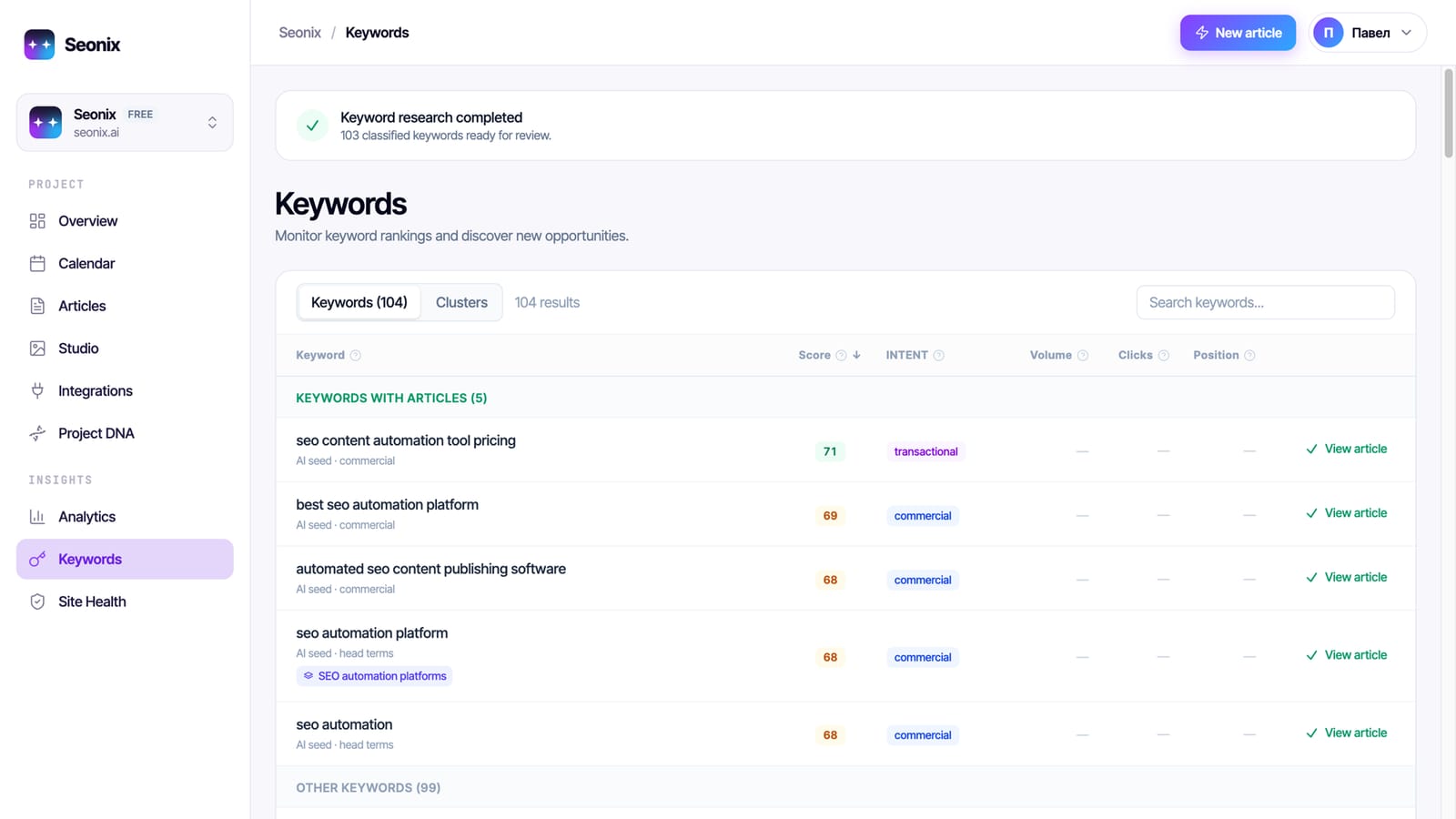
We build Seonix, so this section describes our own product. It runs the whole loop for one site the way an in-house SEO process would, only continuously, and every step below ships today.
Learns your business
Reads your site to build a profile: what you sell, who you sell to and how you sound. Every article is written against it.
Finds keywords with demand
Researches the queries your customers actually search, from real search data, and lays them out on a calendar you can edit.
Writes from what ranks
Before writing, it reads the pages that already rank for the keyword, measures which page format wins and checks the draft covers the topics those pages cover.
Optimizes at creation
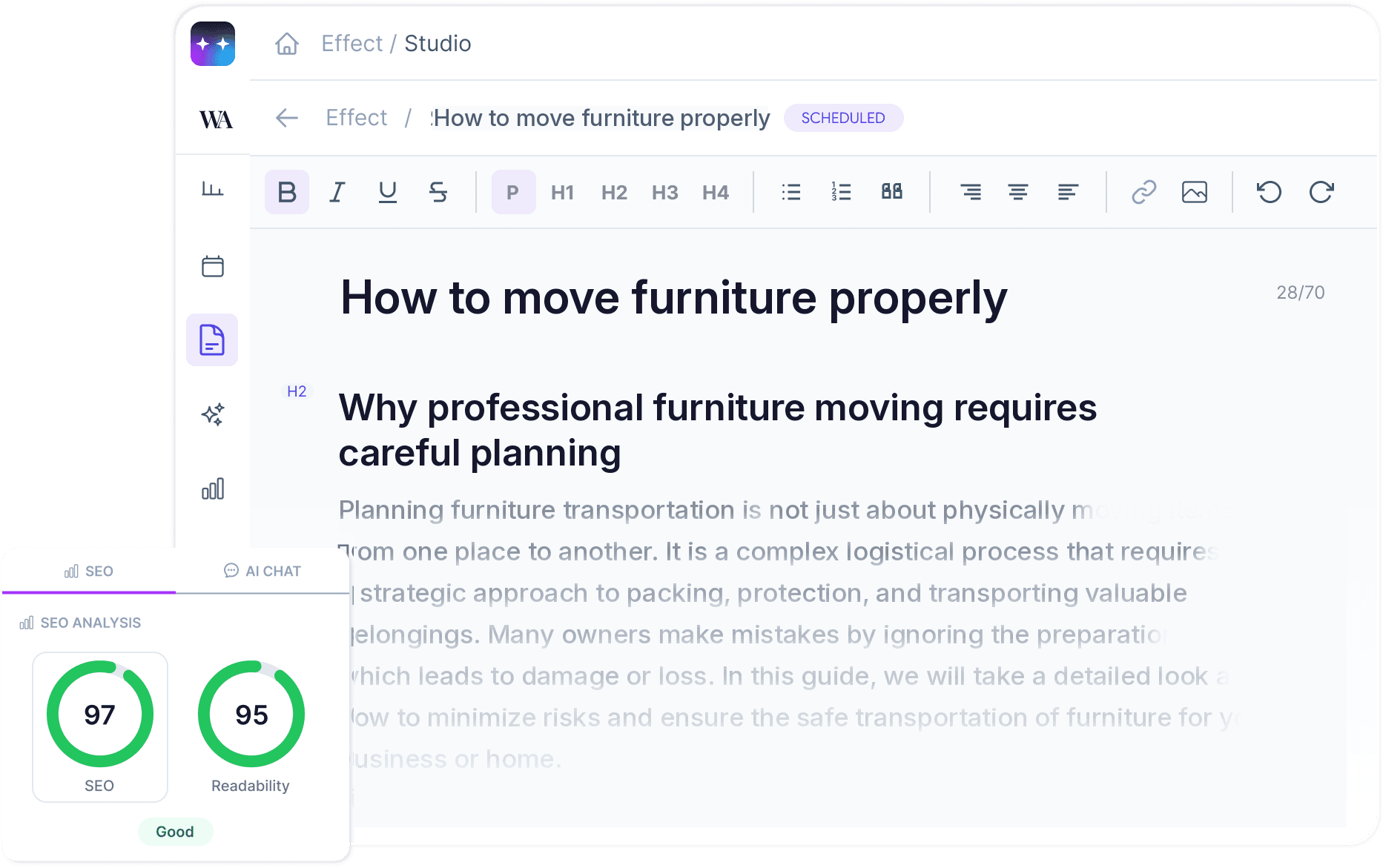
Headings, meta, internal links to your real pages, images and structured data are in place when the article is created, and each article carries a live SEO score.
Publishes to your site
WordPress through a free plugin, Ghost, Webflow, Shopify, Wix, or a REST API for custom stacks, in 50+ languages.
Measures and refreshes
Connects Search Console and GA4 to show each page's progress from the first publish, rewrites articles that lose positions, audits the whole site with one-click fixes and scans ChatGPT answers for your brand.
You choose how much runs on its own
Manual
You pick what Seonix writes and publish it yourself.
Review first
Seonix plans, writes and queues articles; each one goes live only after you approve it.
Autopilot
Seonix plans, writes and publishes at your cadence and lets you know when each article is live.
Review-first and autopilot are available on paid plans.
How to set up SEO automation in 6 steps
The order matters: automation multiplies whatever it starts from, so fix the base first.
- 1
Audit the site first
Fix broken links, duplicate pages and missing meta before adding content, or new articles inherit the problems. Seonix's $0 plan runs this audit with no card.
Analyze your site free - 2
Describe who you write for
Products, audience, tone, markets and languages. Every automated article is only as specific as this profile.
- 3
Pick keywords you can win
Choose queries with real demand where your site can realistically compete, and group them so one page owns each topic.
- 4
Choose control and cadence
Start review-first so you see what goes out, and move to autopilot once the drafts consistently need no edits.
- 5
Connect your CMS and Search Console
Publishing and measurement in one loop: every article is tracked from the day it goes live.
- 6
Review monthly and refresh
Check which pages are indexed, which earn impressions and which earn clicks. Refresh what stalls, and add topics where demand shows up.
SEO automation tools by type
SEO automation software comes in six types, and most stacks mix two or three of them. Pick by the job, not by the label.
End-to-end autopilots
Automates: Research, articles, publishing and tracking as one loop
 Seonix
Content optimization platforms
Automates: Briefs, content scoring, AI-visibility tracking, some publishing
Bulk AI writers
Automates: Drafts at volume; you pick the topics and check quality
Research and tracking suites
Automates: Keyword data, backlink indexes, rank tracking, site audits
Workflow builders
Automates: Moving data between apps on triggers
Free from Google
Automates: Indexing status, queries, impressions and clicks
What results to look for, and in what order
Automation changes how fast the work gets done, not how search engines work. In your own Search Console, progress shows up in this order:
Indexed
New pages are crawled and added to Google's index. The Pages report shows which ones made it.
Where to lookSearch Console › Pages
Impressions
Pages start appearing for long-tail queries, usually on lower positions first.
Where to lookSearch Console › Performance
Clicks
As positions improve, impressions turn into visits. Pages that stall are the ones to refresh.
Where to lookSearch Console › Performance
Customers
With GA4 connected, you see which articles bring sign-ups, leads or sales, and where to publish more.
Where to lookGA4 › Key events
Be wary of anyone who promises specific rankings. Judge any SEO automation, ours included, by what you can see in your own Search Console.
See what automated SEO would do for your site
The free analysis finds your keywords, competitors and first article ideas in a few minutes, and the $0 plan audits the whole site. No card needed.
- Keywords with real demand
- Your search competitors
- First article ideas
- Full site audit on the $0 plan