
Ship SEO faster with agents
Seonix runs SEO for SaaS products on autopilot: it finds the queries your buyers search, writes the articles and publishes them to your product's blog. Point your agent at Seonix — it does the rest.
>Add an SEO blog to my site and connect it to Seonix: https://seonix.ai/SKILL.md
Paste into Claude Code, Cursor, Copilot, Lovable, Bolt, Replit — any agent that edits your code and can fetch a URL.
The secret token is generated on your machine, and your Seonix account is touched only through a one-time connect code you generate in the dashboard — Seonix never accesses your code or infrastructure.
Claude Code
Anthropic
Claude Code reads the skill and wires the blog straight into your app.
Cursor
Anysphere
Hand Cursor the prompt and it scaffolds the blog, endpoints and sitemap.
Codex
OpenAI
Codex follows the skill and builds the receiving side end to end.
Copilot
GitHub
Copilot works through the steps and ships the integration in your repo.
Lovable
Lovable
Lovable builds the publishing bridge right inside your app.
Bolt
StackBlitz
Bolt adds the blog to your project and hooks it up to Seonix.
Replit
Replit
Replit Agent builds and deploys the receiving endpoints for you.
Windsurf
Windsurf
Windsurf runs the skill and verifies the whole setup end to end.
Any agent that can edit your codebase and fetch a URL can follow the skill — these are just the ones we see most.
SaaS SEO on autopilot
SaaS SEO on autopilot means software runs the growth work a content team would: finding the queries your buyers actually search, writing and optimizing articles, publishing them on a schedule, and tracking how your brand shows up in Google and AI answers. Seonix does exactly that for SaaS products and startups — no CMS required. Your app exposes one small endpoint, and Seonix delivers finished articles straight to it.
No blog yet? No problem. Paste one prompt into the AI coding agent you already build with — it creates the blog on your stack, wires the connection, and hands you the keys. This page is the whole setup.
Not a SaaS? See SEO for custom-built business websitesHow to connect your stack to Seonix
Three steps, and the only manual one is a paste. Your agent does the engineering; Seonix verifies the connection the moment you save it.
Prefer to build it by hand? Read the API docs — the endpoint is a few dozen lines in any framework. API docs →
Copy the prompt into your agent
Paste the prompt above into the AI agent that already works in your codebase. It fetches seonix.ai/SKILL.md and follows the plan on your stack — anything that can serve an HTTP endpoint.
The agent builds and tests the blog
It reuses or creates the blog pages, implements the receiving endpoints with duplicate-safe updates, keeps images on your host, sets up meta tags, sitemap and structured data, and runs a self-test against its own work.
Hand it a connect code — it does the rest
In Seonix → Channels → Custom API, click "Generate connect code" and paste the one-time code to your agent. It registers the channel in your account, Seonix verifies the connection instantly, and keyword-backed articles start arriving on your schedule.
Already running in production
This site's blog runs on it
Every article on seonix.ai/blog is delivered through the exact contract your agent implements — same endpoint shape, same token auth, same updates without duplicates.
Customer sites too — from plain PHP to Next.js
SaaS blogs on customer domains publish through the same endpoint contract every day. The receiving side is a few dozen lines of code, whatever the framework.
What Seonix runs for your product
One connected site gets the full loop — the same four stages an in-house SEO process would run, executed continuously.
Research
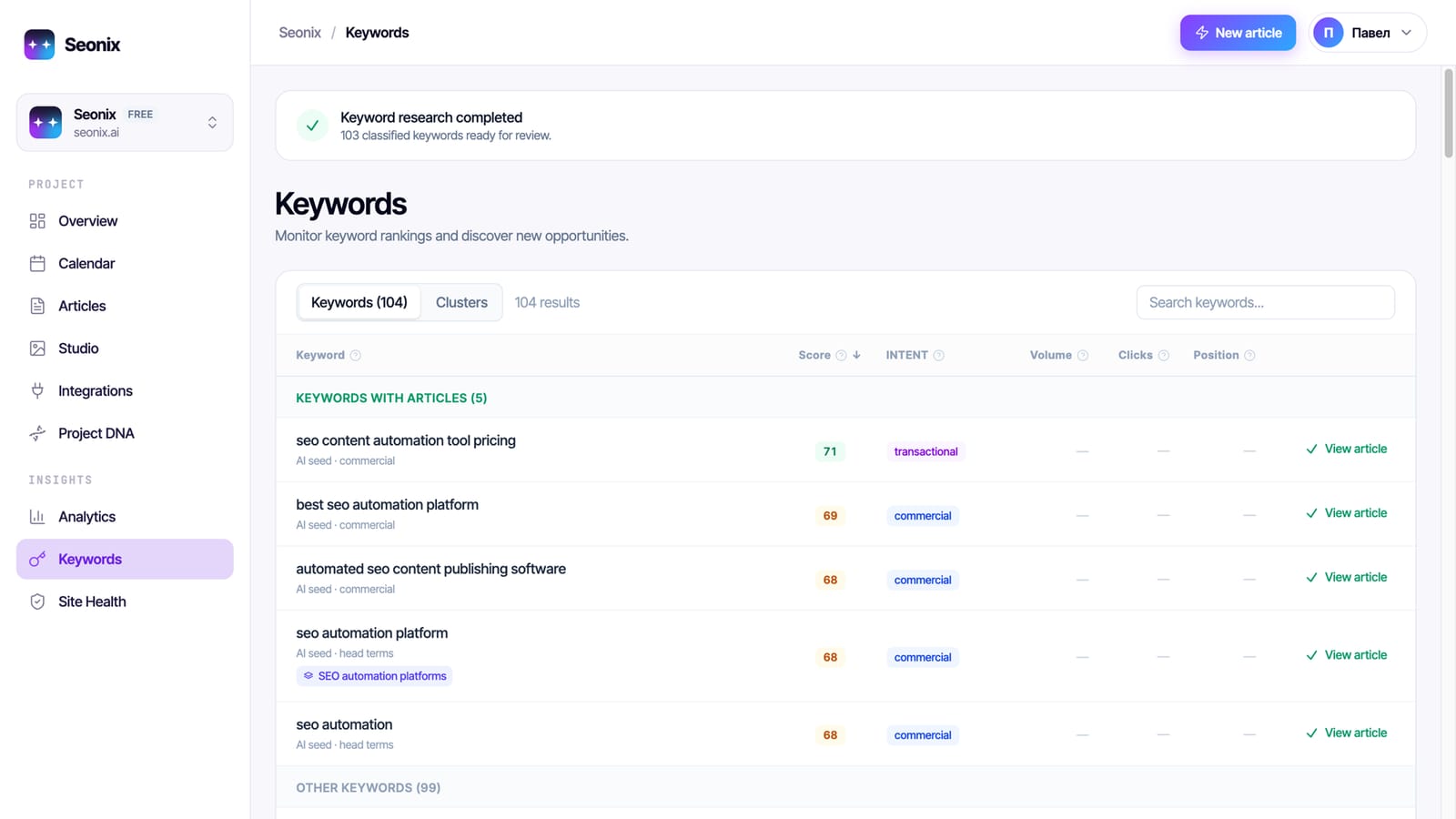
Seonix studies your product and builds a project profile — what you sell, who buys it, how your brand sounds. It then finds queries with real search demand and lays them out on a publishing calendar you can edit before anything ships.
Write and optimize
Each article is generated against your project profile with on-page SEO applied at creation time — structured headings, internal links, and images are part of the draft from the first version. Content generation works in 50+ languages.
Publish to your site
Articles land as native pages of your product site — your design, your domain, your URLs. Images are uploaded to your host, and re-publishing after edits updates the same page instead of creating a duplicate.
Track and refresh
Seonix follows rankings and traffic for every published page and checks where your brand appears in AI answers. The calendar mixes brand-new articles with refreshes of existing ones, so winning pages keep getting stronger.
Your agent sets it up, the autopilot runs it
What your agent sets up
The instructions in SKILL.md walk it through the complete receiving side — built into your codebase, owned by you.
- Blog pages in your product's design — or wiring into the blog you already have
- A receiving endpoint where re-publishes update the same article, never duplicate it
- Images uploaded to and served from your own infrastructure
- Meta tags, canonicals, social previews, and structured data on every article
- A sitemap that updates itself as articles arrive
- A secret token generated on your machine, plus a self-test before handover
- The channel registered in your Seonix account via a one-time connect code
What the autopilot delivers
Auto-publishing has two modes, set per project. In draft mode Seonix plans and writes on schedule, and every article waits for your approval before it is sent to your site. In auto mode articles from the approved plan publish themselves at the scheduled time.
- Up to 30 published articles per month on the Starter plan
- Publishing cadence from daily to weekly — you set the rhythm
- A visual content calendar you can edit before anything ships
- New articles mixed with refreshes of existing posts
- Email when an article is published; Telegram alerts can also announce drafts ready for review
The Free plan covers the technical site audit; publishing automation is part of paid plans, starting with Starter at $49/month instead of $100 — 51% off, or $470 a year instead of $1,200.
Frequently asked questions
How is SaaS SEO different from SEO for a regular website?
My site already has a blog — what happens to it?
Which AI agents can run the setup?
How does the agent connect to my Seonix account?
Is it safe to let an agent wire this up?
Which stacks are supported?
Do the articles live on my domain?
How much does it cost?
Give your product a blog that sells it
Start with the free analysis — Seonix studies your product, finds the queries your buyers search, and shows the content plan it would run before you pay anything.
Analyze my site free