
Automated CMS Publishing: Setup Guide for Existing Websites
Automated publishing to CMS sends ready SEO articles straight into your current content management system or custom site. It removes manual copy-paste work. For a lean marketing team, that means less time spent on formatting, uploads, internal links, and publishing. Additionally, Seonix connects research, writing, optimization, and delivery in one managed workflow. Moreover, your site can stay as it is.
This matters because search visibility no longer stops at Google’s blue links. Buyers also ask ChatGPT, Gemini, and other answer engines for product options, comparisons, and how-to advice. As a result, a site that publishes useful, structured content each week has more chances to appear in search results and AI answers. A site that waits for manual production cycles moves slower.
This guide explains how Seonix connects to your current CMS or custom stack. It also shows what setup you need and how approval controls work before articles go live. You will see how APIs, sitemaps, internal links, indexing notices, and performance tracking fit together. Therefore, the goal is simple: automate publishing without rebuilding your website.
How Does Automated Publishing to CMS Work Without a Rebuild?
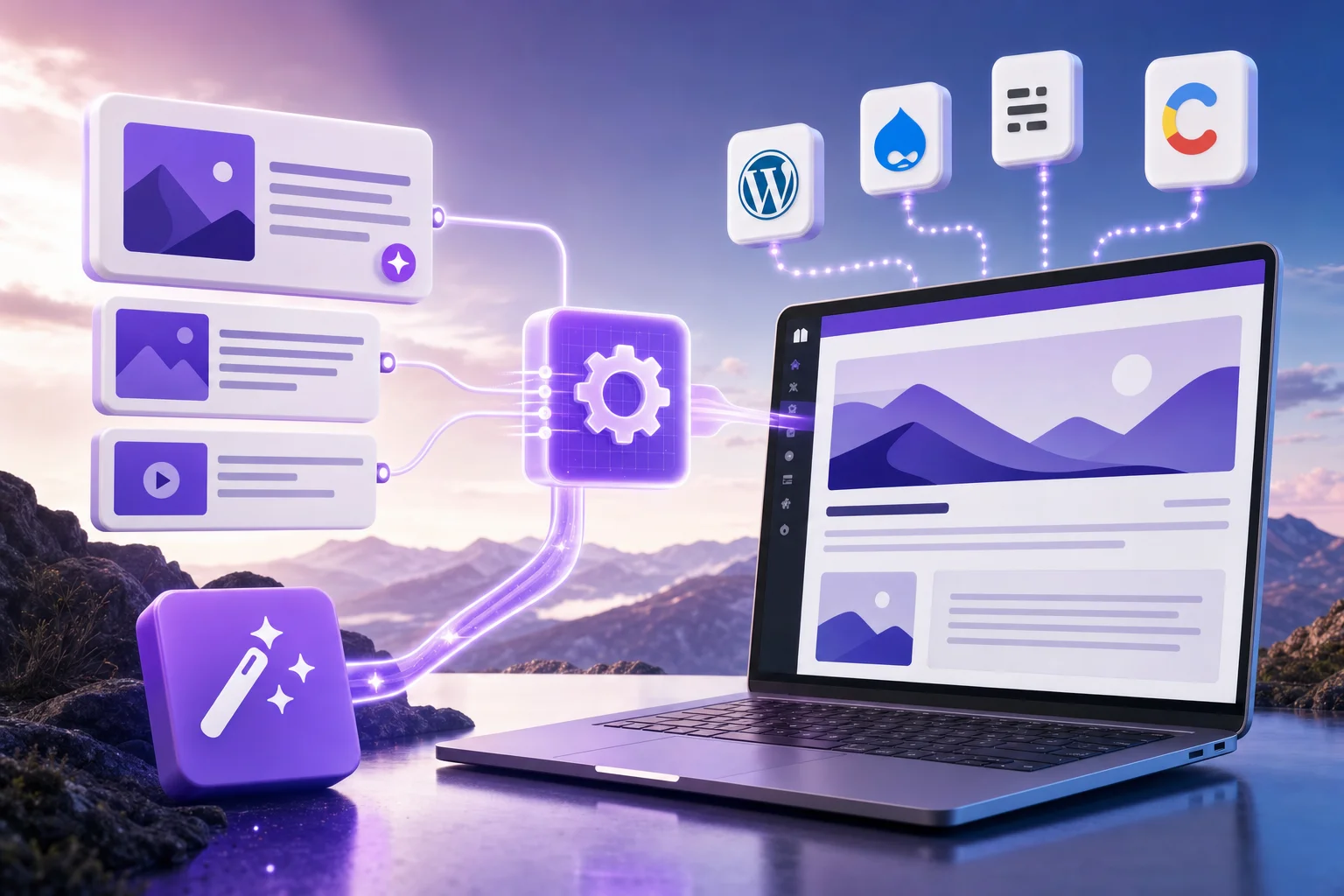
Automated publishing to CMS connects Seonix to your current site through a supported plugin, CMS API, or custom REST API endpoint. The website stays in place. Seonix prepares the article, sends structured content to the right destination, and applies rules such as draft, scheduled, or live status.
An existing blog can keep its theme, URL structure, categories, author profiles, and templates. For example, a B2B SaaS site with 120 existing posts can add automated article delivery without moving platforms. Seonix only needs a reliable publishing route and clear rules for where new posts should land.
The value comes from removing repeated manual steps. For example, a marketer may spend 20 to 40 minutes uploading one finished article. They add headings, check links, set the slug, and publish. Across 12 articles per month, that becomes 4 to 8 hours of admin work before reporting or updates begin.
Good to know: A no-rebuild setup should preserve 3 core assets: existing URLs, design templates, and tracking scripts. Losing any of these during a publishing change can create avoidable SEO and analytics issues.
What Seonix sends to your CMS for automated publishing
Seonix can deliver article parts as structured fields rather than one plain text block. A typical payload includes the title, body HTML, meta description, slug, category, tags, featured image reference, internal links, and publishing status. Additionally, automated publishing to CMS works best when those fields stay consistent across every post. Custom sites can map these fields to their own database or CMS model.
This field-level method matters because search optimization depends on details. A clean slug, one H1 controlled by the site template, clear H2 sections, and relevant internal links all help search engines read the page. For deeper setup detail, Seonix also explains how CMS API publishing works across common website setups.
What stays under your control
Your team can keep control of approval status, content categories, publishing pace, and live dates. Many teams start with drafts only for the first 10 to 20 articles. Then they move trusted content types to scheduled publishing. Consequently, this staged rollout lowers risk while automation proves the workflow.
A common scenario is simple. The marketing lead approves topic clusters on Monday. Meanwhile, Seonix produces optimized drafts during the week, and the CMS receives scheduled posts every Tuesday and Thursday. The website team only gets involved when a template or field map changes.
CMS Integration Options for Publishing Automated Content to CMS
| Integration option | Best fit | Setup required | Publishing controls | Typical timeline |
|---|---|---|---|---|
| WordPress plugin | WordPress blogs | Install and connect | Draft, schedule, publish | 1-2 days |
| CMS REST API | Modern CMS stacks | API token and field mapping | Draft, category, status | 2-5 days |
| Custom REST API | Custom websites | Endpoint and validation | Custom rules | 5-10 days |
| Webhook delivery | Middleware workflows | Webhook receiver | Queue and review | 3-7 days |
| Manual export fallback | Strict governance teams | Export format setup | Human upload | 1 day |
CMS integration usually takes 1 to 10 working days. The timeline depends on the website stack and approval rules. WordPress is often the fastest path because the publishing model is standard. However, custom builds take longer. Furthermore, the team must define endpoints, authentication, field mapping, validation, and error handling.

Automated CMS publishing should match the way your site already works. If your editors use drafts and scheduled posts, automation should respect that process. Similarly, if your website runs through a headless CMS, the integration should publish content into the same content model your front end already uses.
Automated CMS Publishing for WordPress
WordPress works well for automated delivery because posts, categories, tags, authors, and draft states already exist. Seonix can connect through a plugin-based flow for teams that want fast setup and fewer development tasks. Teams planning this route can review the WordPress publishing option before choosing the final workflow.
A practical WordPress rollout often starts with 3 test posts. One post checks formatting, one checks category and slug rules, and one checks internal links. After those tests pass, automated publishing to CMS becomes a process choice rather than a technical blocker.
Custom REST API publishing for existing websites
A custom REST API fits websites that do not run on a standard CMS. The site exposes a secure endpoint. Seonix then sends a structured payload with content fields. After that, your development team decides how the endpoint checks, stores, previews, and publishes each article.
For example, a marketplace with a custom admin panel may need a title, excerpt, body, meta description, author ID, category ID, and status. The endpoint can reject missing fields, enforce approved categories, and return a content ID. This keeps automated publishing inside your existing engineering rules.
What Setup Does Automated CMS Publishing Need Before Launch?
Automated CMS publishing needs access, field mapping, content rules, test posts, and monitoring before launch. Most teams do not need a redesign. However, they do need one clear owner from marketing and one technical contact. These people confirm permissions, templates, and publishing behavior.
A clean setup starts with the content model. Seonix needs to know where each article field should go. That includes title, URL slug, body, meta description, category, tags, author, image, canonical settings, and status. If the site already publishes blog posts, most of this model exists already.
Rule of thumb: budget 1 working day for a standard plugin setup, 2 to 5 days for a CMS API, and 5 to 10 days for a custom REST API with review logic.
Access, authentication, and safety checks
Secure publishing access should use scoped permissions. A good setup allows article creation and updates. However, it does not grant broad admin rights where they are not needed. API keys, tokens, and service accounts should also have clear ownership.
Safety checks reduce bad publishes. A site can reject articles with missing slugs, empty meta descriptions, unapproved categories, or duplicate URLs. In one common setup, the CMS accepts only draft posts until 5 test articles pass formatting and QA checks.
Sitemaps, internal links, and indexing notifications
Sitemaps help search engines discover new URLs. Internal links help crawlers and readers find related pages. Indexing notices may help discovery in supported systems by signaling that a new or updated URL exists. These functions do not guarantee rankings, but they reduce friction after publishing.
Seonix can support content workflows that include sitemap updates, internal link suggestions, and post-publish tracking. Furthermore, a strong internal link plan usually connects each new article to 2 to 5 relevant pages. That pattern helps share authority and builds clearer topic clusters.
Watch out: Publishing 30 isolated posts with no internal links creates a weak crawl path. In contrast, a smaller set of 10 well-linked articles often gives search engines a clearer topic signal.
How Do Review and Approval Controls Protect Quality?
Review and approval controls protect quality by keeping humans in charge of publish decisions, brand rules, and fact checks. Automation should remove repeated work, not remove accountability. Therefore, Seonix supports approval-before-publish workflows so teams can inspect content before it appears on the live site.

Quality control matters more when publishing volume rises. A team that moves from 2 articles to 12 articles per month needs a repeatable QA process, not a longer comment thread. Additionally, draft status, reviewer assignment, and final approval steps create a clear control layer.
Automation scales SEO only when the publishing system protects quality, structure, and accountability before content reaches the live site.
Editorial governance for AI-assisted content
Editorial governance is the set of rules for what teams can create, approve, update, and publish. In practice, it covers brand voice, claims, prohibited topics, source handling, formatting, and legal review triggers. As a result, a good governance model reduces rework as volume grows.
For example, a healthcare software company may require human review for compliance-sensitive claims, but allow automatic scheduling for glossary posts. An ecommerce brand may approve buying guides in batches, then review product-specific posts one by one. Teams can pair this with AI Content Quality Control for SEO Teams to build a deeper QA process.
Brand voice, accuracy, and compliance safeguards
Brand safeguards should be specific enough to test. Useful rules include approved product names, banned claim types, preferred tone, required disclaimers, and topics that need expert review. Moreover, these checks help AI-assisted content stay useful and safe.
A practical QA pass can use 7 checks: search intent match, factual accuracy, brand voice, formatting, internal links, metadata, and publish status. The reviewer can approve, request changes, or hold the article. This workflow keeps human judgment where it adds the most value.
Workflow From Keyword Research to CMS for Automated Publishing
The workflow runs from customer query discovery to content planning, article creation, CMS publishing, sitemap updates, indexing signals, and performance tracking. Seonix connects these steps so teams do not manage separate research, writing, upload, and reporting tasks. The result is a repeatable route from search demand to live page.
Keyword research starts with real customer questions. Seonix identifies topics, clusters related queries, and helps prioritize articles based on relevance and growth potential. For example, a topic cluster may include 1 pillar page and 6 to 12 supporting articles that answer related search needs.
Keyword planning and search intent optimization
Search intent optimization means matching the article format, depth, and angle to what the searcher wants. A commercial query needs product-fit detail, setup guidance, use cases, and risk checks. Meanwhile, an informational query needs definitions, steps, examples, and clear answers.
For this article’s intent, the reader wants to know whether automated SEO content can reach an existing CMS without redesign work. So the article must cover integration options, setup needs, review controls, sitemaps, internal links, and indexing. A thin tool list would miss the real buying question.
From draft to live URL
The publishing path should be visible from start to finish. Seonix can prepare the content, apply SEO structure, send it to the CMS, and track whether the URL becomes live. If the workflow includes approval, the CMS receives a draft first.
A worked example shows the time impact. If manual publishing takes 30 minutes per article and a team publishes 16 articles per month, upload work alone equals 480 minutes, or 8 hours. Automated delivery that reduces the check to 5 minutes per article cuts the task to 80 minutes. Therefore, the team saves about 6 hours and 40 minutes each month.
Teams that want a broader operating model can compare this process with a full automated SEO publishing workflow that covers planning, production, CMS delivery, and tracking.
Which Teams Get the Most Value From CMS Publishing Automation?
Teams get the most value from CMS publishing automation when content volume, manual upload time, or multi-site work slows growth. Founders, lean marketing teams, agencies, and website owners all benefit. However, the best setup depends on control needs and stack complexity.
A founder may care most about speed and low setup work. A marketing manager may care more about approval states and reporting. Additionally, an agency may need multi-client controls, repeatable templates, and clear handoffs across 5, 20, or 50 client sites.
Founders and lean marketing teams
Lean teams often need organic growth but lack a full SEO staff. Automated publishing helps them ship more content without hiring separate researchers, writers, editors, and CMS admins. As a result, a 2-person team can focus on offer, positioning, and lead quality instead of weekly upload tasks.
Pricing decisions should map to output, integrations, and support needs rather than a raw article count alone. Seonix publishes current plan details on its pricing page, which is the best place to check plan fit before starting an integration. For lean teams, automated publishing to CMS can also make the first content system easier to maintain.
Agencies and multi-client operations
Agencies gain value when automation reduces repeated work across clients. A manual workflow may require writers, editors, account managers, and CMS admins to touch the same article. Consequently, that creates delays and raises the chance of missed publishing dates.
For agencies, governance matters as much as speed. Each client may have different brand rules, approval paths, categories, and CMS stacks. Teams evaluating this model can use Agency SEO Automation Buyer’s Checklist to compare workflow controls before standardizing delivery.
What Results and Limits Should You Expect?
Automated publishing can save hours each month and help teams publish consistently. However, it does not replace strategy, quality standards, or authority building. Results depend on site history, content quality, technical health, competition, and how well articles match search intent.
A realistic benchmark starts with operational savings. If a team publishes 20 articles per month and saves 25 minutes of upload work per article, the monthly saving is 500 minutes, or 8 hours and 20 minutes. In addition, reduced coordination time can make the gain larger for agencies or multi-brand teams.
Performance benchmarks after automated publishing
Beyond saved hours, teams should benchmark search performance against a pre-launch baseline. Useful measures include indexed submitted URLs, impressions for target query clusters, organic clicks, average ranking movement, internal link coverage, assisted conversions, and leads from new content. Review these by topic cluster, not only at site level.
A practical measurement rhythm is simple. Confirm technical publishing health in the first 30 days. Then review indexation and impression trends after 60 days. After 90 days or more, evaluate clicks, qualified traffic, and conversion contribution. These benchmarks do not guarantee a specific traffic increase. However, they show whether automated publishing improves visibility beyond operational efficiency.
Tip: Treat the first 30 days as an integration and QA period. Use that window to verify formatting, metadata, internal links, sitemap updates, and approval rules before raising publishing volume.
AI visibility across answer engines
AI visibility means your brand, products, and ideas appear in answers generated by tools such as ChatGPT and Gemini. These systems may draw from accessible, useful, well-structured web content, especially when browsing or retrieval features are involved. Additionally, consistent publishing gives your site more chances to answer specific customer questions.
Automated publishing supports AI visibility when content covers real queries with direct answers, examples, and structured sections. However, answer engines do not reward volume alone. Thin articles, copied ideas, and weak expertise can limit visibility even if the CMS workflow works perfectly.
Limits, risks, and smart controls
Automation can create problems if teams skip QA. Common risks include duplicate topics, weak internal links, off-brand claims, broken formatting, and too many posts published before the site architecture is ready. Nevertheless, controls solve most of these issues before they affect live pages.
Backlink and authority-building work still matters in competitive markets. Automated content can build topical depth, but a new site may need digital PR, partner links, product proof, and expert input to compete. Therefore, the best-fit team treats Seonix as managed SEO execution, not a magic switch.
For ROI planning, compare saved hours, content output, and expected lead value before changing your publishing cadence. SEO ROI Calculator for Automation Decisions can support that decision when you need a clear business case.
The best automated publishing projects start small and measure the practical details first. Formatting, slug rules, approval states, and internal links decide whether the system earns trust. Once those parts work, scaling content becomes a growth choice rather than an operations problem for the team at Seonix.
FAQ
These answers cover the common setup, review, and visibility questions teams ask before connecting Seonix to an existing site.
Can automated SEO articles be delivered to an existing CMS?
Yes, automated SEO articles can be delivered to an existing CMS through a plugin, CMS API, webhook, or custom REST API. The site does not need a redesign if it already supports blog posts or structured content entries. Seonix maps article fields to the current publishing model.
How much technical setup is needed before publishing can start?
Setup can take 1 to 10 working days based on the website stack. A standard WordPress setup can be ready in 1 to 2 days. A custom REST API with validation, approval logic, and field mapping often needs 5 to 10 days.
Can teams approve content before it goes live?
Yes, teams can use approval-before-publish workflows. Seonix can send articles as drafts, scheduled posts, or live posts based on your rules. Many teams start with draft-only delivery for the first 10 to 20 articles. Then they automate scheduling after QA checks pass.
What role do sitemaps and indexing notifications play?
Sitemaps help search engines discover new URLs, and indexing notifications may signal in supported systems that fresh or updated content exists. Internal links then help crawlers understand how the page fits into your site. These steps do not guarantee rankings, but they reduce avoidable discovery delays.
Does automated CMS publishing help with AI search visibility?
Automated CMS publishing can support AI search visibility when the content answers real customer questions with clear structure and useful detail. Tools like ChatGPT and Gemini are more likely to surface or reference material that is accessible, useful, and high quality. Publishing volume helps only when the articles meet intent and maintain quality.
Conclusion: automated publishing to CMS without rebuilding your site
Automated publishing to CMS gives teams a practical way to grow organic visibility without replacing their website or building a large SEO operation. The strongest setup connects research, content creation, optimization, CMS delivery, internal links, sitemap updates, indexing signals, and performance tracking. That full chain matters more than a writing tool alone.
Seonix fits teams that want managed execution with control points, not another dashboard that adds tasks. Start with the integration route that matches your stack. Test a small batch. Keep human approvals where risk is higher, and scale once the workflow proves itself. For the broader pillar on this model, see how Seonix acts as an SEO platform that writes and publishes content.
If you want to test automated publishing to CMS before changing your process, start with a small, controlled run. Seonix offers trial options so your team can review quality, workflow fit, and publishing readiness.