

Seonix: Official AI SEO Automation Platform
Seonix is an AI SEO automation platform for businesses that want the official seonix website, automated content production, direct publishing, and ongoing visibility tracking in search and AI answers.
A quick disambiguation helps because search results can mix close spellings and unrelated entities. If you typed sesonix, setonix, seonice, or seonix bio, or found a general freelance platform while looking for SEO automation, this page points you to Seonix, the brand used for organic growth automation.
This official Seonix brand hub explains what the platform does, who it fits, how publishing works, and where to find pricing, login, documentation, support, or a demo. You will also see output examples, trust signals, and a practical way to decide your next step.
What is Seonix built for?
Seonix is built for founders, marketers, agencies, and website owners who need steady SEO content. They do not need to run keyword research, writing, optimization, and publishing by hand. Instead, Seonix turns a website URL and business context into article ideas, optimized drafts, published pages, and performance feedback.
The core use case is simple. A business wants more qualified organic traffic. However, the team cannot spend many hours each week planning topics, writing briefs, editing drafts, uploading posts, and checking results. Seonix reduces that manual load by moving the full workflow into an automated process.
For example, a B2B software company may have 80 product-led search queries and only one marketer. Instead of briefing freelancers one article at a time, the marketer can use Seonix to find query clusters, generate articles, publish them to the existing site, and monitor which pages gain impressions.
Who gets the most value from Seonix?
Seonix fits teams that already know content can drive leads, yet need a repeatable system. Agencies can use it to scale client publishing. Founders can use it before hiring an SEO team. Meanwhile, website owners can use it when their site has authority but too few pages answering real buyer questions.
- Startups that need organic traffic before paid ads become too costly.
- Agencies that manage content calendars across several client sites.
- Local businesses that need pages for service, city, and problem-based queries.
- Ecommerce brands that need informational content around product use cases.
- B2B teams that want visibility in both Google results and AI-generated answers.
Good to know: Seonix focuses on recurring SEO output, not one-off copy. If you only need a single landing page rewritten, a freelance copywriter may be the simpler fit.
Is this the official Seonix AI SEO platform?
This page describes the official AI SEO automation platform on this website. It helps you confirm that you are not viewing an unrelated similarly named brand. The official Seonix value is SEO content on autopilot: research customer queries, create optimized articles, publish to your site, and track results over time.
Searchers sometimes type brand variants such as seonix ai, sesonix, or seonice. Those queries can surface mixed results because similar names may exist in other categories, including a large booking marketplace or a general freelance platform. For SEO automation, the website referenced here is seonix.ai.
You can verify Seonix by checking the product language on the page. Official pages describe AI SEO automation, automated content research, website publishing integrations, ranking and traffic tracking, and visibility in AI answers. In contrast, unrelated results will not match that product focus.
Official Seonix paths for pricing, login, docs, support, and demo
Users looking for account access, plan details, support, or a demo should use the navigation on the official website. For cost planning, review the current plan options before choosing a publishing volume or billing period.
Documentation and support pathways should answer setup questions such as CMS connection, REST API publishing, tracking configuration, and article review settings. Moreover, demo requests help teams with multiple sites, custom publishing needs, or approval workflows confirm the right setup before launch.
How Seonix turns customer queries into published articles
Seonix turns customer search demand into published content through a repeatable workflow. It analyzes the site, identifies relevant queries, groups topics, generates articles, optimizes each page, publishes through an integration, and tracks performance. Therefore, strategy, production, and reporting stay in one loop.

A typical manual workflow can involve several handoffs: research, clustering, briefing, writing, editing, uploading, internal linking, and reporting. Each handoff can slow output or create gaps. As a result, Seonix compresses those steps so a small team can move from idea to live article faster.
- Connect the website so the system can understand pages, topics, and technical context.
- Identify customer search queries that match the business offer and buying intent.
- Group related terms into topic clusters with clear article angles and search purpose.
- Generate SEO-ready articles with headings, examples, internal structure, and metadata.
- Publish approved content to the connected CMS or custom REST API endpoint.
- Track rankings, traffic signals, indexing health, and AI visibility after publication.
Teams that want a deeper product walkthrough can review how the system moves from site analysis to published SEO content. That workflow matters because search growth depends on both content volume and continuous quality checks.
Visual Seonix product walkthrough with screenshot-style milestones
A clear Seonix workflow can be shown as 4 screens: site scan, query clusters, article editor, and performance dashboard. The site scan screen should show detected topics and technical issues. Meanwhile, the cluster screen should show customer questions grouped by intent.
The article editor screen should show title, headings, meta description, internal links, and content status. Likewise, the performance dashboard should show impressions, clicks, ranking movement, and AI answer readiness indicators. Even without a live demo, these milestones help a buyer understand Seonix.
Screenshot placeholder: site scan. This walkthrough block should show the site scan with detected pages, topic coverage, technical context, and initial optimization opportunities.
Screenshot placeholder: query clusters. This walkthrough block should show customer search queries grouped by intent, article opportunity, priority, and cluster relationship.
Screenshot placeholder: article editor. This walkthrough block should show the generated article draft with title, headings, meta description, internal links, content status, and review controls.
Screenshot placeholder: publishing settings. This walkthrough block should show destination site settings, CMS or REST API delivery, draft-versus-publish controls, scheduling, slug, category, and metadata fields.
Screenshot placeholder: performance dashboard. This walkthrough block should show impressions, clicks, rankings, indexing status, page performance, and AI visibility indicators after publication.
SEO automation works best when research, publishing, and measurement stay connected. Separate tools create extra work. Consequently, one feedback loop creates stronger gains than a stack of disconnected tools.
What Seonix automates
Seonix covers the core tasks that turn search demand into live, measurable content. The table below shows the main workflow areas and why each one matters.
| SEO workflow area | What the platform does | Why it matters |
|---|---|---|
| Query research | Finds customer searches | Targets real demand |
| Topic clustering | Groups related intents | Builds topical depth |
| Article generation | Creates optimized drafts | Saves writing time |
| On-page SEO | Structures headings and metadata | Improves page relevance |
| Publishing | Sends content to CMS | Reduces upload work |
| Performance tracking | Monitors rankings and traffic | Guides next actions |
| AI visibility | Prepares answer-ready content | Supports AI discovery |
Seonix automates the work that usually sits between SEO strategy and live content. The platform does not just write text. It links research, article creation, on-page optimization, publishing, and tracking so each new page has a clear purpose.
Keyword research and topic clustering help avoid random blog posts. For instance, a home services company might have separate clusters for emergency repair, maintenance cost, local availability, and product comparisons. Each cluster supports a different stage of the buying path.
Article generation then converts those clusters into useful pages. Good AI-generated SEO articles need more than a target keyword. They need a clear answer, useful examples, short paragraphs, internal context, and metadata that matches the reader’s intent.
Watch out: AI article generation still needs guardrails. Seonix works best when the website owner gives accurate service details, regions, product terms, and approval rules before scaling output.
Multilingual Seonix SEO content generation
Seonix can support multilingual SEO content generation for teams targeting different markets, regions, and customer languages. Instead of simply translating one article word for word, the workflow should use language-specific query research. It should also use local search intent, market terms, metadata, and examples. Consequently, each page matches how customers search in that market.
For multilingual campaigns, teams should provide approved product names, regional terms, service areas, and review rules for each language. That helps Seonix generate content that stays consistent with the brand. At the same time, it adapts headings, calls to action, and answer-ready passages for local search and AI visibility.
Seonix editing limits and quality control
SEO automation should not mean publishing unchecked claims. Seonix supports a managed workflow where businesses can review output, set content rules, and keep brand terms consistent. That matters when articles mention prices, service areas, product limits, or legal-sensitive topics.
A practical review rule works well: inspect the first 5 to 10 articles closely, then adjust instructions before scaling. Teams often find recurring improvements in tone, internal link choices, call-to-action placement, and examples. After that, approval becomes faster because Seonix has clearer rules.
Examples of Seonix articles, reports, and AI answer-ready content
Seonix can generate SEO articles, content briefs, topic clusters, metadata, cover image prompts, generated cover image assets when available in the current workflow, performance reports, and AI answer-ready passages. These outputs help a website answer real customer questions. Moreover, they give search engines and AI systems clear, structured information.
A concrete article example for a local provider could be “How much does emergency drain cleaning cost?” The page would answer the price intent first. Then it would break down cost drivers, explain service timing, add local context, and include a clear next action. That structure serves both traditional rankings and AI answer extraction.
A B2B example could be “Best workflow automation software for finance approvals.” The article would compare use cases, define buying criteria, address integration questions, and guide the reader toward a product demo. Seonix can also create supporting pages for glossary terms, alternatives, implementation steps, and feature-led queries.
Cover image generation can extend beyond a text prompt when the current setup supports generated image assets or formatted creative outputs for articles. However, teams should still review image style, brand fit, accessibility text, and publishing placement before sending content live.
Sample Seonix report outputs a team can use
Useful Seonix reports should point to action, not just charts. A performance report can show which pages gained impressions, which queries need stronger internal links, which articles need refreshes, and where AI answer readiness can improve. A weekly review can then focus on decisions.
- Ranking movement for priority keywords and article clusters.
- Traffic and click changes by page, topic, and publishing date.
- Site health signals such as page speed, broken links, and duplicate metadata.
- Content gaps where search demand exists but no strong page answers it.
- AI answer readiness checks for concise definitions, structured answers, and named entities.
Rule of thumb: publish around one clear search intent per article, then use clusters to connect related pages. Mixed-intent pages are harder to rank and harder for AI systems to quote.
Which Seonix integrations publish content to existing websites?
Seonix publishes content to existing websites through CMS integrations and custom REST API support. That means a business can keep its current site while moving article delivery, scheduling, and status tracking into an automated workflow.

Publishing workflows matter because copy-and-paste work creates delays. A long article can take noticeable time to format manually when a marketer adds headings, metadata, images, categories, links, and preview checks. Across many articles, that can become a substantial workload.
Seonix may support website publishing workflows through supported CMS integrations and custom REST API delivery, depending on the current integration options and the setup needs of the site. You can review supported CMS and API publishing options before planning a rollout.
REST API support for custom sites
A REST API is a standard way for one system to send data to another system over the web. For Seonix, REST API support helps teams publish article titles, body HTML, metadata, slugs, categories, and status fields into custom websites.
Developer teams usually care about predictable payloads, draft-versus-publish control, authentication, error handling, and logs. A good setup keeps content review inside the business process while avoiding manual uploads. Similarly, agencies benefit because one delivery pattern can support several client sites.
Plans, trial terms, support, and cancellation basics
Seonix offers plan selection paths, support routes, and account controls so users can match automation volume to their website goals. The safest move is to check live plan details before purchase because article volume, features, trial availability, and billing terms can change.
Any available trial offer should be reviewed on the current pricing or signup pages. A short test can help a user inspect article quality, publishing fit, and workflow speed before choosing a recurring plan. Additionally, it helps teams compare manual production with Seonix automation.
Plan choice should depend on 4 factors: number of websites, monthly article volume, approval needs, and integration complexity. A single-site founder may need a lighter setup. On the other hand, an agency with 12 client sites needs stronger workflow control and support access.
Cancellation terms should be reviewed before subscribing, including billing period, renewal date, content access, and any limits tied to trial use. Users can also check documentation and support routes from the official site navigation when they need help with setup or account questions.
Platform service model versus manual agency work
Seonix is strongest when the main goal is repeatable SEO content production at scale. An SEO agency may be a better fit when a company needs deep brand repositioning, complex stakeholder interviews, offline PR, or a full technical rebuild before publishing starts.
The practical difference is operating model. Seonix gives consistent output, faster publishing cycles, and measurable workflow automation. A service team gives more human consulting time. Nevertheless, production can slow when every article needs meetings, briefs, and manual approvals.
How Seonix performance tracking works over time
Seonix tracks performance over time by connecting published content with ranking movement, traffic signals, site health checks, and AI visibility indicators. The goal is not just to publish more articles. The goal is to learn which topics earn visibility and which pages need improvement.
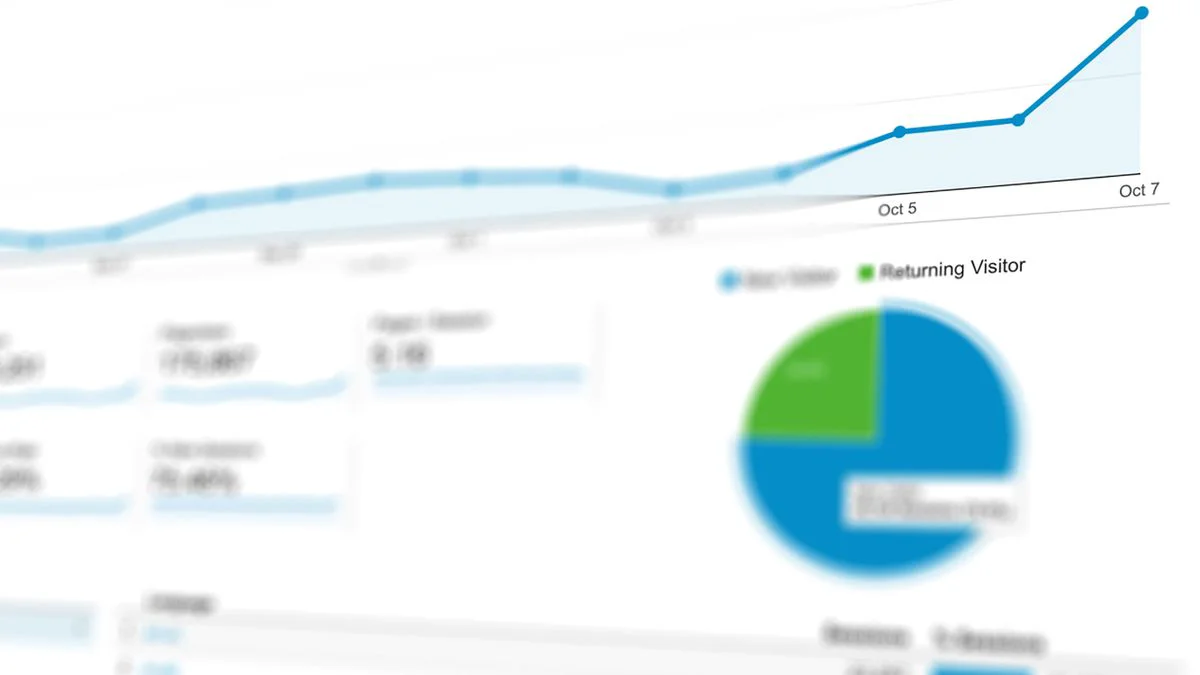
Search performance monitoring should cover impressions, clicks, average ranking movement, indexed pages, broken links, duplicate metadata, and page speed issues. These signals help a business decide whether to refresh content, strengthen internal links, fix technical problems, or create supporting articles.
Search Console and analytics reporting make that feedback loop more specific. When Search Console data is connected, Seonix can review impressions, clicks, ranking movement, indexing status, and query-level visibility alongside analytics signals. These signals include page performance, traffic changes, engagement, and conversion paths. As a result, teams can see which pages appear in search, which pages are indexed, and which articles need stronger internal links, refreshes, or technical fixes.
AI visibility adds another layer. Answer engines often work better with clear definitions, concise explanations, structured steps, named entities, and pages that fully answer the query. Therefore, Seonix helps shape content so articles can work for classic search pages and AI-generated responses.
A worked example shows the feedback loop. If Seonix publishes 12 articles in a month, and 4 start gaining impressions while 2 show weak indexing signals, the next action is not more random content. The system can prioritize refreshes for the 2 weak pages. It can also create supporting articles for the 4 gaining pages and new clusters for uncovered queries.
Trust signals and schema readiness
Trust signals make automated content safer and clearer. A strong official brand page should show company identity, product function, support paths, and clear next actions. Schema can also help machines interpret the page correctly.
For a Seonix brand hub like this, the useful schema types are Organization, SoftwareApplication, FAQ, and Breadcrumb. Organization schema confirms the brand. SoftwareApplication schema describes the product. FAQ schema supports question answers. Breadcrumb schema clarifies page position within the site.
Practical recommendations for choosing the right next step
The right next step depends on how close you are to publishing. If you only need to verify the official brand, stay on this website and use the main navigation. If you want to assess output quality, a small trial is the most useful first action.
Choose a plan only after mapping your first 30 to 60 target queries. That range gives enough depth for clustering without creating a messy content plan. However, a business with fewer than 30 useful queries may need positioning work before scaling SEO content.
For existing websites, check integrations before planning volume. A direct CMS connection or REST API path can save hours each month. If your team needs approvals, start with draft publishing and move to scheduled publishing once quality rules are clear.
- Use Seonix if repeat publishing and tracking matter more than one-off copy.
- Start with query clusters before asking for high article volume.
- Review early outputs for service accuracy, tone, and internal links.
- Connect Search Console and analytics data so impressions, clicks, rankings, indexing, and page performance improve future content decisions.
- Keep support and documentation close during the first integration setup.
Tip: Treat the first Seonix publishing cycle as calibration. The best results come when article rules, website structure, and tracking are aligned before scale.
FAQ
These answers help users confirm the official brand, understand the workflow, and choose the right next action.
Is this the official website and not an unrelated similarly named brand?
Yes. This page represents Seonix as the AI SEO automation platform for search visibility, AI answer visibility, automated article generation, publishing workflows, and performance tracking. If you searched for sesonix, seonice, or a similar spelling, check that the page focuses on SEO automation and uses the official brand rather than a large booking marketplace or a general freelance platform.
What SEO and AI visibility work does the platform automate?
Seonix automates query research, topic clustering, SEO article generation, on-page structure, metadata, content publishing, performance tracking, and AI answer readiness. It helps businesses create pages that answer customer searches clearly. Then it keeps monitoring which content gains traction and which pages need updates.
How does content publishing keep improving performance over time?
Content publishing works through CMS integrations and custom REST API workflows. After publication, Seonix tracks search performance, site health, ranking movement, traffic signals, and AI visibility indicators. That feedback helps guide refreshes, internal links, new articles, and technical fixes over time.
Where can users find pricing, login, documentation, support, or a demo?
Users can find pricing, login, documentation, support, and demo paths through the official website navigation. Pricing helps compare plan fit. Account login supports access. Documentation explains setup and integrations. Support helps with account or workflow questions. Meanwhile, a demo fits teams with custom publishing or multi-site needs.
Can the platform work with an existing website?
Yes. Seonix is designed for businesses that already have a website and want automated article delivery. It can publish through supported CMS connections or a custom REST API. As a result, teams can keep their current site while adding research, writing, optimization, publishing, and tracking automation.
Conclusion: why Seonix is the official hub for AI SEO automation
The search query seonix should lead to the official Seonix brand for AI SEO automation, not a thin result or an unrelated similar name. This page gives the core proof points: brand identity, product workflow, publishing integrations, sample outputs, plan paths, support routes, and long-term tracking.
Seonix fits businesses that want organic growth without building a large SEO and content team. It connects research, writing, optimization, publishing, and performance measurement. As a result, content work becomes a managed system instead of a scattered set of tasks.
The strongest SEO automation setups start small, measure fast, and then scale the patterns that show demand. We would rather publish 10 focused articles with clear tracking than 50 broad posts with no feedback loop. That view shapes how we think about growth at Seonix.
Ready to see what Seonix finds on your site? Start with a focused scan, review the query opportunities, and decide whether automation fits your growth plan. You can begin with a free SEO analysis.