

SEO content automation tools research search demand, create optimized content, publish it to a website, and track results across search and AI answer engines. A lean team can spend several hours taking one article from keyword research to publishing when every step stays manual. However, the right tool moves that workflow into a repeatable system with human review at the points that matter most.
Search behavior has shifted. Buyers now compare answers from Google, ChatGPT, Gemini, and other AI tools before they click a website. As a result, content has to answer real customer questions, match search intent, and give AI systems clear facts to cite. Faster output alone does not solve that problem if the workflow creates thin, generic, or off-brand pages.
This article shows how to compare AI writers, optimization tools, and full SEO content automation platforms without getting distracted by feature lists. Additionally, you will see which workflow steps to automate, which quality controls to demand, how publishing and tracking should work, and how to estimate time savings before buying.
What Are SEO Content Automation Tools?
SEO content automation tools help teams turn search demand into published, optimized content with less manual work. The strongest tools cover research, briefs, writing, editing checks, internal links, CMS publishing, indexing support, and performance tracking. However, the weakest tools only generate text, so the buyer still handles SEO cleanup, formatting, uploading, and reporting.
The difference matters because content production includes at least 9 recurring tasks. These are topic discovery, keyword grouping, search intent review, outline creation, drafting, factual review, SEO optimization, publishing, and measurement. A founder or marketer can automate several of those steps safely. However, brand judgment and factual approval still need oversight. For example, a B2B SaaS team publishing 12 articles per month can remove many manual handoffs when the system connects research, drafting, and CMS delivery.
AI writing is text generation. Content optimization improves content against search criteria. Full SEO automation connects the whole workflow from query research to ongoing performance tracking. Therefore, two tools with similar AI claims can create very different business results.
Good to know: A tool that saves 2 hours on drafting but adds 90 minutes of manual formatting only saves 30 minutes per article. Always measure workflow time from idea to live URL.
Compare SEO Content Automation Tool Types
| Tool type | Workflow coverage | Quality controls to vet | Best fit | Main risk |
|---|---|---|---|---|
| AI writing assistant | Drafting only | Prompt rules, tone checks | Solo writers | Generic output |
| Content optimizer | Briefs and on-page checks | SERP analysis, term guidance | SEO editors | Manual publishing |
| SEO workflow tool | Planning and approvals | Tasks, roles, audit trail | Content teams | Slow setup |
| Full automation platform | Research to tracking | Human review, publishing rules | Lean growth teams | Poor controls if unchecked |
| Agency platform | Multi-site delivery | Client permissions, reports | Agencies | Client data mix-ups |
Coverage signals in SEO content automation tools
AI writers, optimization tools, and full automation platforms solve different workflow problems. Therefore, buyers should compare them by coverage rather than label. A writing assistant helps produce a draft. A full platform can manage the content pipeline, publish to a site, and keep reporting on results after the article goes live.

AI-assisted optimization works best when a team already has SEO skill and wants faster briefs, outlines, and edits. By contrast, full automation suits teams that want a steady publishing rhythm without building a large content operation. If a site needs 20 articles per month, the gap between those models becomes clear within the first 30 days.
Best-fit SEO content automation tools by model
A practical ranking for most commercial buyers is simple. Choose a writing assistant for low-volume drafts, an optimizer for editor-led SEO, a workflow system for team coordination, and a full platform for organic growth on autopilot. Meanwhile, agencies need one more layer: client workspaces, approval status, and reporting by domain.
The best automation tool is not the one that writes fastest. It is the one that removes the most manual steps while keeping business control visible.
Several buyers compare feature depth and pricing side by side before they commit, because headline AI features often hide large gaps in publishing, tracking, and approvals. Consequently, that comparison step can help prevent a costly tool switch later.
Which Workflow Steps Should SEO Content Automation Tools Cover?
SEO content automation tools should cover the repeatable steps that do not require deep human judgment. However, they still need review gates for facts, brand voice, and publishing approval. The minimum workflow should include keyword research, topic clustering, brief generation, draft creation, optimization, internal linking, CMS publishing, indexing prompts, and performance tracking.
Research and data analysis for SEO content automation tools
Keyword research should group real customer queries by intent, not just list high-volume terms. Additionally, a useful system separates informational, commercial, comparison, and transactional searches because each type needs a different page format. For example, a query such as “best seo automation platform for businesses” needs vendor criteria. Meanwhile, “what is AI content optimization” needs a clear definition and workflow detail.
Strong tools also analyze ranking pages, common subtopics, related questions, and content gaps before writing starts. Additionally, a practical brief should show the target query, secondary phrases, expected angle, search intent, internal link candidates, and required sections. Consequently, teams comparing automation vendors should treat missing brief data as a red flag.
SEO content automation tools for drafting, optimization, and internal links
Drafting should follow the brief, but optimization should verify the final page against the goal. That means checking title alignment, heading coverage, query usage, entity depth, readability, and internal link relevance. Additionally, a good tool suggests several relevant internal link candidates for a typical article, then lets a person approve the final links.
Publishing automation should also preserve clean HTML, categories, authors, slugs, meta titles, meta descriptions, and schema-ready structure when the CMS supports it. WordPress users should check whether a platform can publish directly through a plugin or API. Additionally, this matters most if the site already has editorial rules and custom fields. Seonix supports this type of direct website delivery, including a WordPress publishing workflow for teams that want AI content and SEO delivery connected.
Rule of thumb: automate any step that repeats more than 10 times per month, but keep human approval for facts, claims, offers, and regulated topics.
Ready-to-Use Implementation Workflow Templates
For example, use ready-to-use implementation workflow templates to test whether a tool can move from planning to publishing without hidden manual work. These templates give buyers a practical demo script instead of a feature checklist.
Template 1: Lean team publishing workflow
- Input: Add 10 customer questions, 3 product positioning points, approved brand voice notes, and target website pages for internal links.
- Automation: Generate topic clusters, briefs, article drafts, SEO fields, and internal link suggestions.
- Human review: Approve search intent, facts, claims, examples, calls to action, and final links.
- Publishing: Send the approved article to the CMS with slug, category, author, meta title, meta description, and clean HTML.
- Tracking: Monitor indexed status, impressions, clicks, rankings, conversions, and refresh opportunities.
Template 2: Agency multi-client workflow
- Input: Create separate client workspaces with domain, audience, services, approval contacts, and content exclusions.
- Automation: Build briefs and drafts per client without mixing brand rules, internal links, or reporting data.
- Human review: Route drafts through editor, client approver, and publisher roles before anything goes live.
- Publishing: Publish to the correct site or staging environment and keep per-domain status visible.
- Tracking: Report published URLs, rankings, Search Console trends, AI visibility notes, and next recommended updates by client.
Template 3: Existing website integration workflow
- Input: Map the CMS fields, category rules, author rules, custom fields, internal link targets, and staging requirements.
- Automation: Generate content in the required HTML structure and prepare SEO metadata for the site setup.
- Human review: Check formatting, links, facts, brand rules, and any technical fields before publish approval.
- Publishing: Push content through the WordPress workflow, custom REST API, or approved CMS integration.
- Tracking: Connect each live URL to rankings, impressions, clicks, leads, and refresh alerts.
During a trial, ask the vendor to run one template end to end. The strongest seo content automation tools will make each handoff clear. Meanwhile, weaker tools will expose manual gaps in research, formatting, approvals, publishing, or reporting.
How Do You Prevent Low-Quality AI Content?
A business prevents thin, inaccurate, or off-brand AI content by combining strong inputs, review rules, and publishing gates. The tool should use clear briefs, brand voice rules, fact checks, duplicate checks, internal link controls, and approval workflows. Human oversight should sit before publishing, not after traffic drops.
Quality-control checklist
Quality control starts before the draft. A thin brief often creates thin content because the model has no clear target, examples, or constraints. In practice, teams should review the brief for intent, audience, source facts, product positioning, and conversion goal before the first draft appears.
- Confirm the article answers one clear search intent.
- Check product claims against approved messaging.
- Review every statistic, price, date, and named feature.
- Remove unsupported claims and vague filler.
- Match voice to existing high-performing pages.
- Approve internal links for relevance, not just anchor text.
- Check AI visibility signals, including direct answers and clear definitions.
- Require final publishing approval for money, health, legal, or safety topics.
Many teams use a 2-pass review: one pass for factual accuracy and one pass for brand and conversion quality. A 1,500-word article may need a focused human review when the draft starts from a strong brief. However, weak drafts can take longer than manual writing, which defeats the point of automation.
Watch out: Search risk rises when a site publishes dozens of near-identical pages with light edits. Variation in intent, examples, data points, and expert input matters more than word count.
Governance, privacy, and approvals
Additionally, data privacy belongs in the buying process, especially for agencies and regulated businesses. A vendor should explain how it handles prompts, uploaded brand documents, customer data, user permissions, and retention. If a tool trains shared models on private client material without clear controls, agencies should reject it.
Moreover, approval workflows reduce search and brand risk. Teams should be able to set roles for writer, editor, approver, publisher, and admin. For a deeper process view, Seonix covers AI content review steps that help teams keep automation fast without losing control.
Publishing, Integrations, and Tracking Features in SEO Content Automation Tools
Publishing and tracking features matter because content only creates value after it goes live, gets indexed, earns visibility, and improves over time. A serious platform should connect with your CMS, preserve SEO fields, notify search systems where possible, and monitor rankings and clicks. Additionally, it should show which content drives leads or assisted conversions.
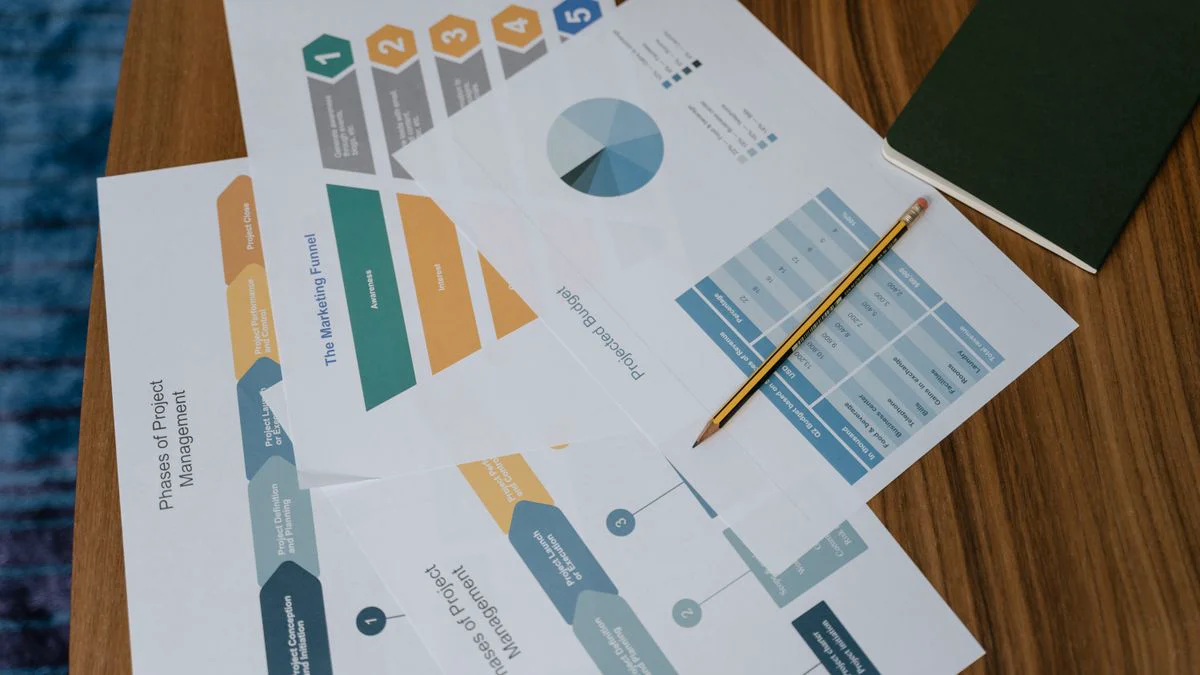
CMS and analytics integration matrix
Integration difficulty can decide whether a tool saves work or creates another queue. WordPress support helps many small businesses. Meanwhile, custom REST API access matters for SaaS sites, marketplaces, and headless CMS setups. Analytics connections should connect published URLs with impressions, clicks, rankings, conversions, and content refresh needs.
Use this static integration matrix during vendor demos:
- WordPress: plugin support, category mapping, author mapping, featured image fields, meta fields.
- Headless CMS: custom REST API, webhook support, slug control, structured content fields.
- Custom website: API documentation, authentication, staging mode, publish rollback.
- Analytics stack: Google Search Console data import, rank tracking, conversion tagging, dashboard filters.
- Agency stack: client workspaces, approval status, white-label reports, per-domain permissions.
Technical audits and website monitoring should sit near the publishing workflow. A tool should flag broken links, noindex issues, missing titles, duplicate metas, slow pages, and crawl problems that block content performance. Even a perfect article can underperform if a site hides it three clicks deep or ships it with the wrong canonical tag.
Reporting for search and AI visibility
Reporting dashboards should show more than a list of published articles. Useful reports connect topics to rankings, impressions, clicks, indexed status, internal links, and lead actions. Additionally, agency teams need client-ready dashboards because 5 clients with 20 articles each can create 100 monthly reporting rows without automation.
AI visibility adds another layer. A modern platform should help content answer direct questions clearly, mention entities consistently, and structure claims so AI answer engines can quote them. This reporting will not replace classic SEO reporting. However, it gives buyers another way to measure brand presence before a click happens.
Practical Recommendations for Choosing SEO Content Automation Tools
The best buying process scores tools against your workflow, content risk, integration needs, and reporting goals. A transparent rubric prevents teams from choosing based on a polished demo alone. Use weighted criteria because a 5-minute writing demo means little if publishing, approvals, and tracking still need manual work.

Scoring rubric and maturity self-assessment
Score each vendor from 1 to 5 across 6 categories, then weight the categories by business impact. Workflow coverage should carry 25%, quality controls 20%, publishing and integrations 20%, tracking 15%, governance 10%, and total cost of ownership 10%. However, a tool scoring 4 in workflow coverage but 2 in quality controls may not fit a brand with strict claims review.
Use a maturity check before a demo. Level 1 means the team uses ad hoc AI prompts. Level 2 means the team has briefs and manual optimization. Level 3 means the team uses repeatable approvals and internal linking rules. Level 4 means the team publishes through CMS integrations and tracks results. Level 5 means the system refreshes content based on performance data.
Tip: Ask every vendor to run the same 3-query test before the sales call. Compare the brief, draft, internal links, SEO fields, and publishing path, not just the writing quality.
Total cost of ownership and time-savings math
Monthly software price is only one cost. Total cost of ownership includes setup time, prompt building, editor review, CMS upload, technical fixes, reporting, and tool switching risk. If a lower-priced tool still needs 6 manual steps per article, the cheaper plan may cost more after 60 days.
A simple ROI calculation can show the difference. Suppose a team publishes 16 articles per month. Manual work takes 6 hours per article, or 96 hours per month. A full automation workflow reduces the process to 1.5 hours of review and approval per article, or 24 hours per month. Therefore, the monthly saving is 72 hours, which equals 9 full 8-hour workdays.
Teams that want to compare plan limits, publishing volume, and cost per workflow should review pricing against expected article output before signing a contract. Free trial options also matter because a real test exposes weak briefs, broken integrations, and review friction faster than a feature checklist.
Best-fit SEO content automation tools by team type
Founders need speed, low setup effort, and clear publishing support. Marketing teams need brand control, content calendars, and analytics. Agencies need client workspaces, permission rules, repeatable reporting, and multi-site delivery. Enterprise teams need governance, audit trails, privacy controls, and approval depth.
An agency-focused SEO tool is rarely the same tool a 3-person startup should choose. Agencies value repeatable client delivery across many domains. Conversely, startups often need an automation platform that removes research, writing, and publishing work in one flow. Buyers comparing broad content marketing platforms should also separate SEO publishing from email nurture and CRM automation, because those jobs overlap but are not the same.
Conclusion: Choose SEO Content Automation Tools by Control, Not Output
SEO content automation tools create the most value when they connect the whole content workflow and protect quality at each step. Faster drafting helps, but the real business gain comes from query research, strong briefs, factual review, CMS publishing, indexing support, reporting, and content improvement over time.
A buyer should avoid tools that treat SEO as a text-generation task. The stronger choice is a system that matches the team’s maturity, site setup, review needs, and growth goals. For a wider platform-level view, compare Best SEO Automation Platforms Ranked by Fit after you shortlist the tool type that fits your workflow.
The best results come from automating the repeatable work first and keeping human judgment close to the claims that affect trust. A clean workflow beats a large content calendar with weak controls. That is the practical line we use when reviewing automation for growth teams, the team at Seonix.
FAQ
These answers recap the main buying points for teams comparing automation depth, quality control, and publishing workflows.
What is the difference between AI writing and full SEO content automation?
AI writing creates draft text from prompts, while full SEO content automation covers the wider process from keyword research to publishing and tracking. The difference is workflow ownership. A writing tool may save drafting time. However, a full platform can reduce manual research, briefs, formatting, CMS upload, internal links, and performance reporting.
Which SEO content automation tools are best for small teams?
Small teams usually need tools that cover research, writing, optimization, publishing, and tracking in one workflow. A narrow writing assistant can help if the team already has SEO skill. However, founders and lean marketers often get more value from a platform that removes handoffs and keeps approvals simple.
How much human review should automated SEO content need?
Automated SEO content should always receive human review before publishing. For a well-briefed 1,500-word article, many teams can review facts, tone, links, and SEO fields with a focused review process. However, sensitive topics need deeper review because inaccurate claims can harm trust and search performance.
What features matter most after an article is generated?
CMS publishing, SEO field control, internal links, indexing support, rank tracking, Search Console reporting, and refresh alerts matter after generation. Content that stays in a draft folder creates no traffic. Similarly, content that goes live without tracking cannot improve with performance data.
Can SEO automation help with AI search visibility?
SEO automation can support AI search visibility when it creates clear answers, strong definitions, structured sections, consistent entity mentions, and fact-rich passages. AI answer engines may be more likely to use content that is easy to parse and quote. Additionally, tracking brand mentions across AI tools helps teams see whether content builds visibility beyond classic search clicks.
Use the checklist above to test a real workflow before buying seo content automation tools. If you want to see how automated research, writing, optimization, and publishing work together, start with 3 SEO articles in 3 days and compare the output against your current process.