
WooCommerce SEO on autopilot
WooCommerce SEO automation means software does the search work a store needs beyond its product pages: finding the questions buyers ask before they purchase, writing articles that answer them and link to the right products, publishing on a schedule, and keeping the store technically clean. Seonix does this for any WooCommerce store through its free WordPress plugin — WooCommerce runs on WordPress, so one install covers the blog, the pages and the catalog.
Product pages rarely rank for questions like "which one should I buy" or "how do I choose" — articles do, and they are what Google and AI assistants quote. Seonix keeps those articles coming and points each one at your products. You approve the content plan and decide how much control to keep: review every article first, or let the autopilot publish on the cadence you set.
What Seonix runs on your WooCommerce store
One connected store gets the full loop — the four stages an in-house SEO person would run, executed continuously.
- 01
Research buyer questions
Seonix studies your store and builds a profile of what you sell, who buys it and how your brand sounds. It then finds queries with real search demand — buying guides, comparisons, how-to and care questions — and lays them out on a publishing calendar you can edit.
- 02
Write articles that sell
Each article is written against your store profile with on-page SEO built in: headings, images, title, meta description and internal links. The plugin shares the list of your products, so articles link to the products they talk about. Content generation works in 50+ languages.
- 03
Publish to the store blog
Articles land as native WordPress posts with the featured image, category, slug, excerpt and SEO meta already set. Re-publishing an edited article updates the same post instead of creating a duplicate, and by default every publish asks Bing to re-crawl the page within minutes.
- 04
Audit, track and refresh
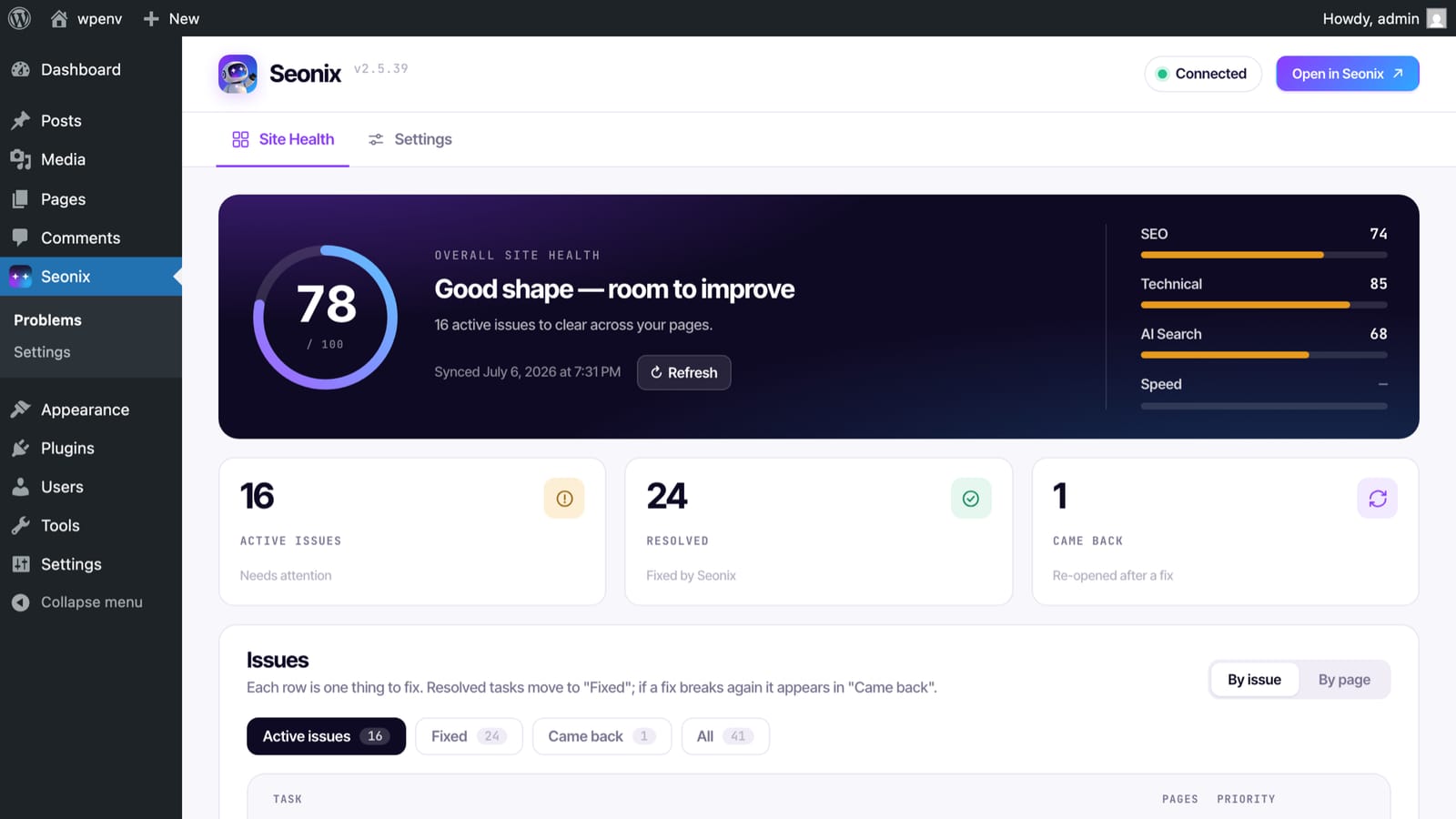
A technical audit crawls the store and lists every issue in plain words — broken links, duplicates, missing meta, image alt text. Seonix follows rankings and traffic per page, checks where your brand appears in ChatGPT answers, and mixes refreshes of existing articles into the calendar.
How to connect a WooCommerce store to Seonix
The store connects through the free Seonix plugin for WordPress — a few minutes, no WordPress password shared and no theme changes.
The plugin shares only basic details about each product — title, URL, slug, status and last-modified date. It never sends product descriptions, prices, orders or customer data.
- 1
Install the free Seonix plugin
In your WordPress admin, go to Plugins → Add New, search for "Seonix", click Install Now, then Activate. The plugin is listed in the official WordPress.org catalog.
- 2
Click "Connect to Seonix"
Open the Seonix menu in your WordPress admin and click "Connect to Seonix". Your browser opens the Seonix app; sign in or create an account on the spot.
- 3
Pick the project to link
Choose an existing Seonix project or create a new one — the connection completes automatically, with no key to copy.
- 4
Seonix scans your store right away
A free site scan starts on connect, and the plugin shares your list of pages, posts and products for internal linking. Results land in Site Health within minutes, and the keyword plan builds from there.
What the autopilot delivers
Auto-publishing has two modes, set per project. In draft mode Seonix plans and writes on schedule, and every article waits for your approval inside Seonix before it reaches the store. In auto mode articles from the approved plan publish themselves at the scheduled time. The Free plan covers the technical audit; publishing automation starts with Starter at $49/month instead of $100 — 51% off, or $470 a year instead of $1,200.
- Up to 30 published articles per month on the Starter plan
- Publishing cadence from daily to weekly — you set the rhythm
- A visual content calendar you can edit before anything ships
- New articles mixed with refreshes of existing posts
- An email every time an article is published
Built for how a WooCommerce store earns search traffic
A store's product and category pages compete for a narrow set of product names. The searches that grow a store — comparisons, buying guides, problems a product solves — need articles, and those articles need to send readers to the catalog. Seonix covers that part and keeps the store's technical side in order, without touching your theme or your product data.
Articles that link to your products
With WooCommerce active, the plugin adds your products to the site list Seonix links from — so a buying guide points to the products it recommends instead of a generic shop page.
Your catalog stays yours
Seonix publishes blog posts and leaves products alone: it does not write or rewrite product descriptions, prices or stock. From the catalog the plugin shares only basic details such as each product's title and URL.
Store-wide technical audit
The audit crawls up to 100 pages on the $0 plan and up to 5,000 on paid plans — enough for the product and category pages of most stores — and explains every issue in plain words inside wp-admin.
One-click fixes with rollback
On paid plans, common technical findings get suggested fixes you apply from WordPress or the Seonix dashboard — and roll back if you change your mind.
Works with the SEO plugin you already run
Seonix writes SEO titles and descriptions into your SEO plugin's own storage and syncs your edits back. No SEO plugin on the store? Seonix outputs the meta tags itself.
Ready for AI answers
Articles open with a direct answer and carry clear facts about what you sell — the format ChatGPT, Gemini and Google quote. AI Visibility scans show where your brand appears in ChatGPT answers.
Looking for the plugin itself?
This page covers SEO for a WooCommerce store. The free Seonix plugin — features, install steps, and what works without an account — has its own page.
Frequently asked questions
Is WooCommerce good for SEO?
How do I evaluate my WooCommerce store's SEO?
Which keywords should a WooCommerce store target?
Does Seonix write product descriptions?
Will Seonix conflict with the SEO plugin I already use?
Can I review every article before it appears in my store?
How much does WooCommerce SEO automation cost?
Free site analysis
Put your WooCommerce SEO on autopilot
Start with the free analysis — Seonix studies your store, finds the questions your buyers search for, and shows the content plan it would run before you pay anything.