
Seonix for ChatGPT: the SEO plugin that knows your site
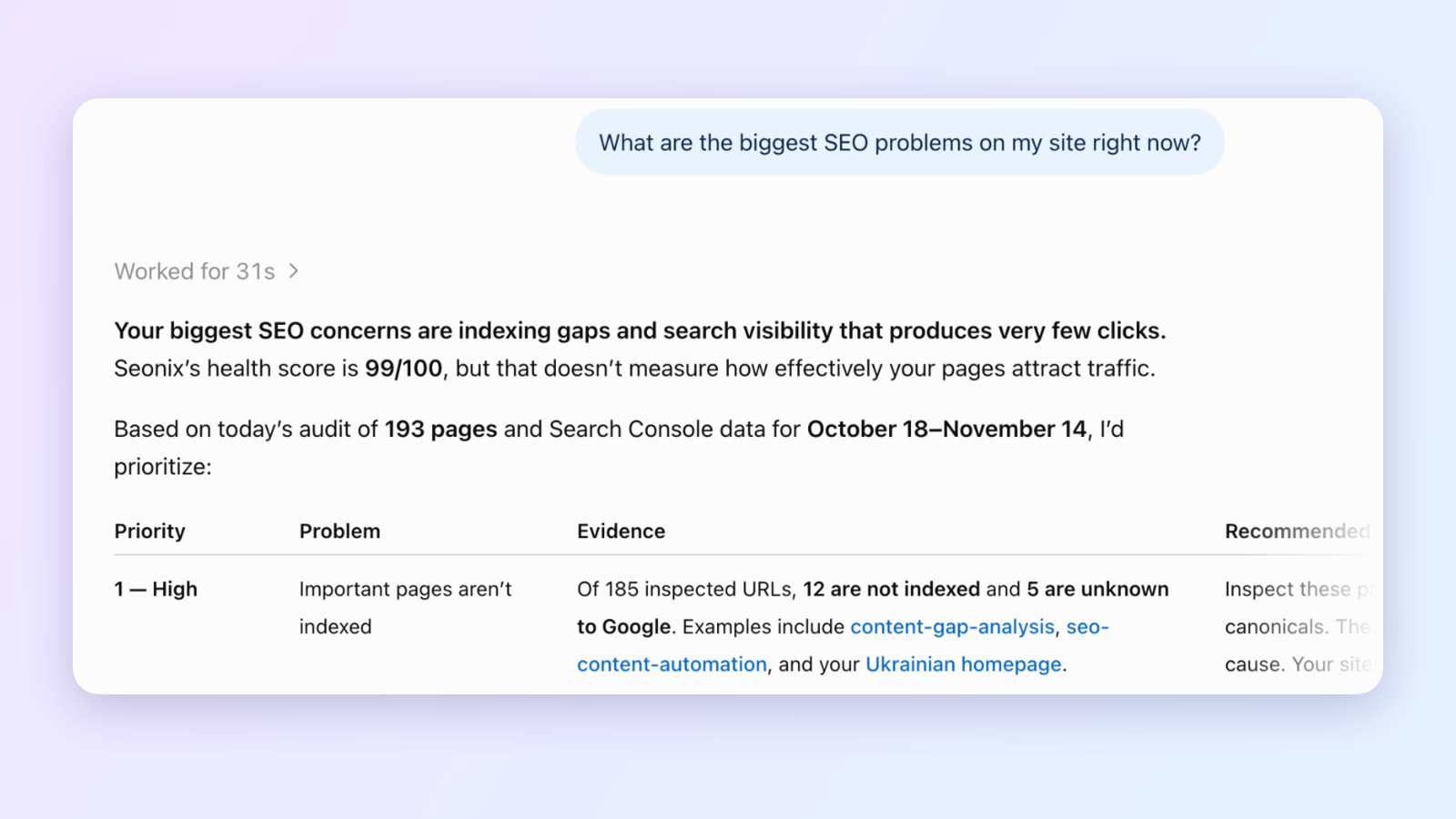
Install Seonix from the ChatGPT plugin directory and ask about your own website in plain language. ChatGPT reads your site audit, Search Console numbers, keyword research and articles from your Seonix account, so the answers are about your pages, not about SEO in general.
- One sign-in, no API key to copy
- Included in every paid plan
- Disconnect in one click
What is the Seonix plugin for ChatGPT?
The Seonix plugin for ChatGPT connects ChatGPT to your Seonix account. Seonix audits your website, reads Google Search Console, researches keywords and writes articles; the plugin lets ChatGPT read that data and answer questions about your site. ChatGPT does the reasoning, Seonix supplies the facts.
- Where to get it
- ChatGPT → Plugins → Seonix
- Published by
- Seonix; passed OpenAI's plugin review
- What you need
- A Seonix project on a paid plan
- Sign-in
- One approval on app.seonix.ai
- Price
- No extra charge

How to connect Seonix to ChatGPT in three steps
It takes about a minute. You need a ChatGPT account and a Seonix project on a paid plan.
- Step 1
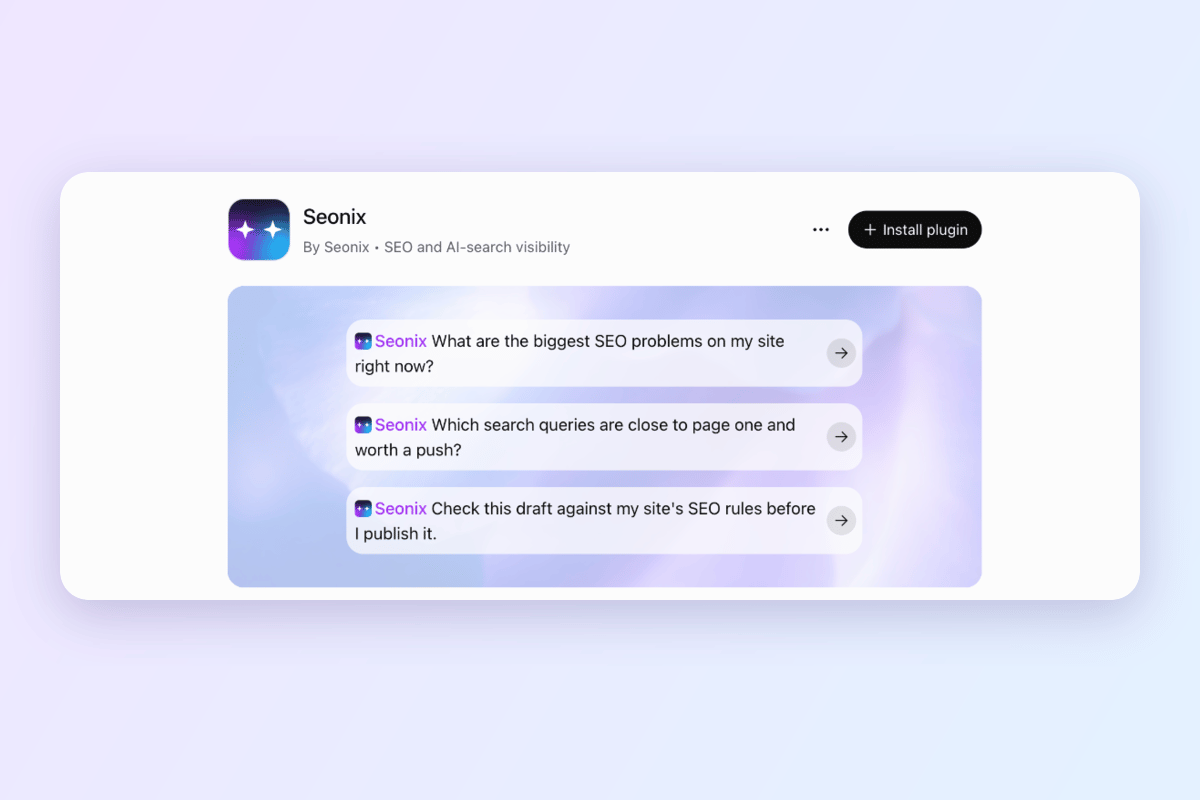
Open Seonix in the ChatGPT plugin directory
Click Add to ChatGPT on this page, or open Plugins in ChatGPT and search for Seonix. On the Seonix page, click Install plugin.
- Step 2
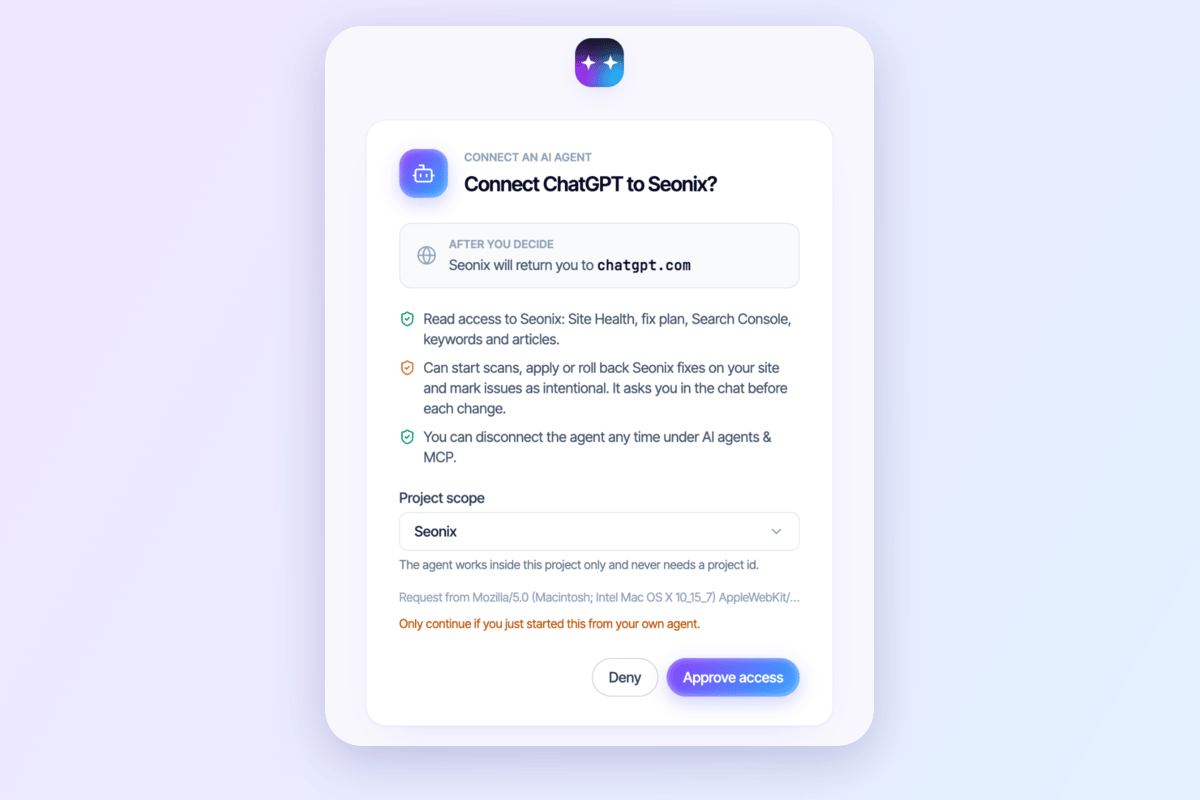
Approve the connection in Seonix
ChatGPT shows a Connect Seonix window and opens app.seonix.ai. The page lists what the connection may do. Choose all your projects or a single site, then click Approve access. No password or API key is pasted into ChatGPT.
- Step 3
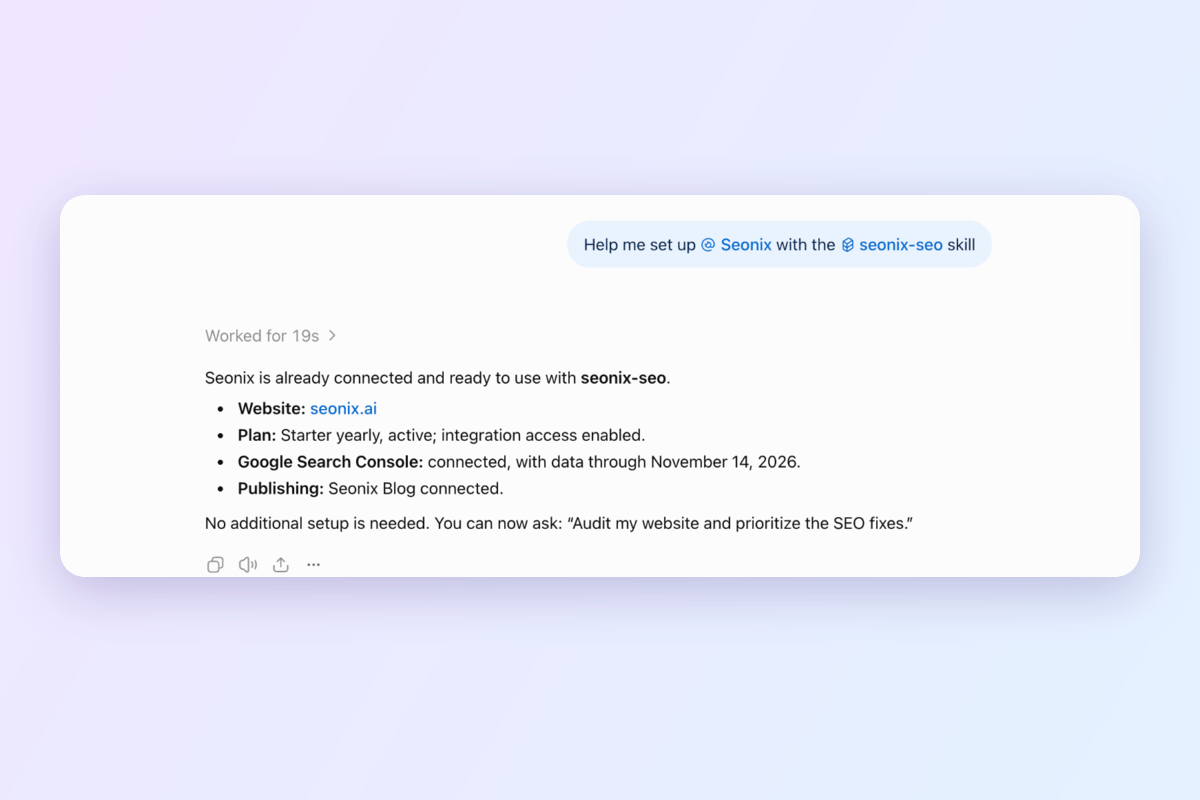
Ask your first question
ChatGPT says Seonix is ready for use. Click Set up Seonix: ChatGPT checks your site, plan and Search Console connection and suggests what to ask first. After that, type @Seonix in any chat to bring your site's data in.
Six things ChatGPT can do with your Seonix data
Each card ends with a question you can paste into ChatGPT as it is.
Audit the site and plan the fixes
The Site Health score, every open problem with the page it sits on, and an ordered fix plan that marks which changes are safe and which touch pages that already bring visitors from search.
AskWhat are the biggest SEO problems on my site right now?
Read your Search Console numbers
Top queries and pages, what one page ranks for, the queries sitting at positions 4–20, and the pages Google has not indexed.
AskWhich search queries are close to page one and worth a push?
Pick what to write next
Researched keywords with search demand, the content calendar and the articles already published, so ChatGPT suggests topics your site does not cover yet.
AskWhat should I write next, and why that topic?
Score a draft before it goes live
Paste a draft, or let ChatGPT write one in your site's voice. Seonix runs the same SEO, readability and AI-answer checks as the dashboard and says what to fix.
AskCheck this draft against my site's SEO rules before I publish it.
See where ChatGPT and Gemini mention your brand
The latest AI Visibility scan from Seonix: the questions checked, whether your brand appeared in ChatGPT and Gemini answers, and which sources were cited.
AskWhere does my brand show up in AI answers, and where is it missing?
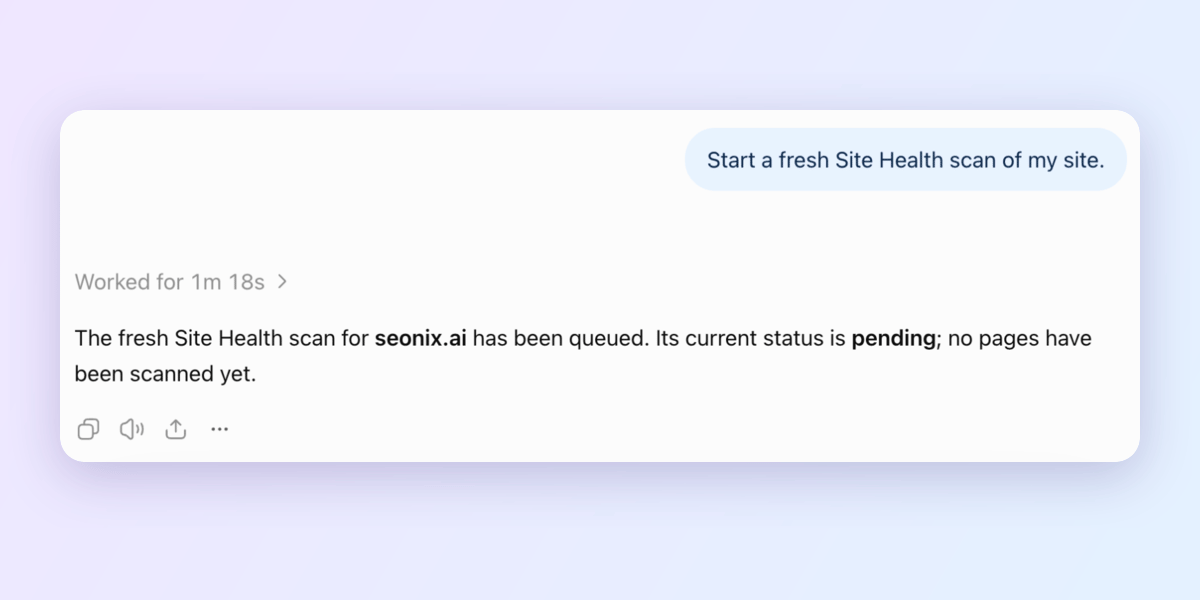
Start a scan and apply fixes on WordPress
Ask for a fresh scan. On a WordPress site with the Seonix plugin, Seonix applies the fixes it can make itself, and a fix run can be rolled back. Fixes that could change how a page ranks are never applied in bulk.
AskStart a fresh Site Health scan of my site.
What can ChatGPT change on my site?
Almost everything the plugin does is reading. Four actions change something, and each one runs only when you ask for it in the chat.
ChatGPT can, on your request
- Start a Site Health scan
- Apply Seonix fixes on a WordPress site connected through the Seonix plugin
- Roll a fix run back
- Mark an issue as intentional, and undo that
ChatGPT cannot
- Create, edit or publish articles in Seonix. It can draft and score text in the chat; saving and publishing stay in the Seonix dashboard
- Change your plan, billing, project settings or publishing channels
- Reach a website that is not in your Seonix account, or another account's data
- Rewrite titles, headings or URLs of pages in bulk
You choose at sign-in whether ChatGPT sees all your projects or one site, and you can disconnect it any time under Account → AI agents & MCP in Seonix. Manage connected agents
How much does the ChatGPT plugin cost?
The plugin itself is free to install, and there is no separate fee for using Seonix in ChatGPT. It works with Seonix projects on a paid plan, which start at $49 a month. On the Free plan the plugin connects, but ChatGPT is told the plan does not include it.
See plans and pricingFrequently asked questions
Is the Seonix plugin for ChatGPT free?
Where do I find Seonix in ChatGPT?
Do I need SEO knowledge to use it?
What data does ChatGPT get from Seonix?
Can ChatGPT publish articles to my site through Seonix?
Can ChatGPT change my website?
I have several websites. Which one does ChatGPT use?
How do I disconnect Seonix from ChatGPT?
Is Google Search Console required?
Does Seonix also work with Claude, Cursor or Codex?
More ways to connect Seonix
Connect your site first, then ask ChatGPT about it
Start with the free site analysis. Once your project is on a paid plan, install the plugin and ChatGPT sees everything Seonix knows about your site.