An SEO automation platform is software that automates repeatable search engine optimization work, including research, content planning, optimization, publishing, rank tracking, and reporting. If you are comparing the best SEO automation platform for businesses, start by measuring how much of that workflow each option can remove from your team. For example, a strong SEO automation platform can often reduce hours of manual work per month for a small site, while an agency running many client sites can save more through templates, bulk reporting, and scheduled publishing.
Meanwhile, search behavior now splits across Google results, AI answers, comparison snippets, and long-tail question searches. Therefore, platform choice matters because the winning tool must not only find keywords, but also turn real customer queries into published content and track visibility over time. A basic rank tracker helps with monitoring, yet it does not replace a workflow that researches, writes, publishes, and improves content.
This article compares SEO automation options by automation depth, integrations, ROI potential, governance, and business fit. Additionally, it uses the more specific buying angle of the best SEO automation platform for businesses to avoid overlap with general guides. You will see a scoring table, use-case verdicts for small businesses, agencies, SaaS teams, and B2B companies, plus a practical checklist for choosing the right setup. The goal is simple: help you shortlist a platform that fits your team, budget, and growth target.
Best seo automation platform for businesses: Comparison by Business Fit
| Platform | Best Fit | Automation Depth | Key Integrations | ROI Potential | Governance Strength | Implementation Effort |
|---|---|---|---|---|---|---|
| Seonix | Small business, SaaS, B2B growth | High: research to publishing | REST API options, WordPress, website publishing | High for content scale | Approvals and tracking | Low to medium |
| Semrush | SEO teams and agencies | Medium: research and monitoring | Google tools, CMS exports, reports | High for analysis teams | Project controls | Medium |
| Ahrefs | Competitor research and backlinks | Medium: data and alerts | Exports, plan-dependent APIs | High for research-led SEO | Reporting controls vary by workflow | Medium |
| Surfer SEO | Content optimization teams | Medium: briefs and optimization | Google Docs, WordPress, content editors | Medium to high for content teams | Medium editorial control | Low |
| Screaming Frog SEO Spider | Technical SEO audits | Low to medium: crawl automation | APIs, exports, analytics data | High for technical fixes | High audit precision | Medium to high |
| AgencyAnalytics | Agency reporting | Medium: dashboard automation | Rank trackers, ads, analytics, CRM data | Medium for client retention | Strong dashboard permissions | Low to medium |
Numeric Automation Maturity Scoring Table
Use this scoring table to compare automation maturity on a 1 to 5 scale, where 1 means mostly manual, 3 means assisted workflow, and 5 means automated workflow with approval controls. Implementation effort is scored inversely, so a higher score means easier setup.
| Platform | Automation Depth | Integrations | Implementation Effort | ROI Potential | Governance | Business Fit | Total |
|---|---|---|---|---|---|---|---|
| Seonix | 5 | 4 | 4 | 5 | 4 | 5 | 27 |
| Semrush | 3 | 4 | 3 | 4 | 4 | 4 | 22 |
| Ahrefs | 3 | 3 | 3 | 4 | 3 | 4 | 20 |
| Surfer SEO | 3 | 4 | 4 | 4 | 3 | 4 | 22 |
| Screaming Frog SEO Spider | 2 | 4 | 2 | 4 | 4 | 3 | 19 |
| AgencyAnalytics | 3 | 5 | 4 | 3 | 5 | 4 | 24 |
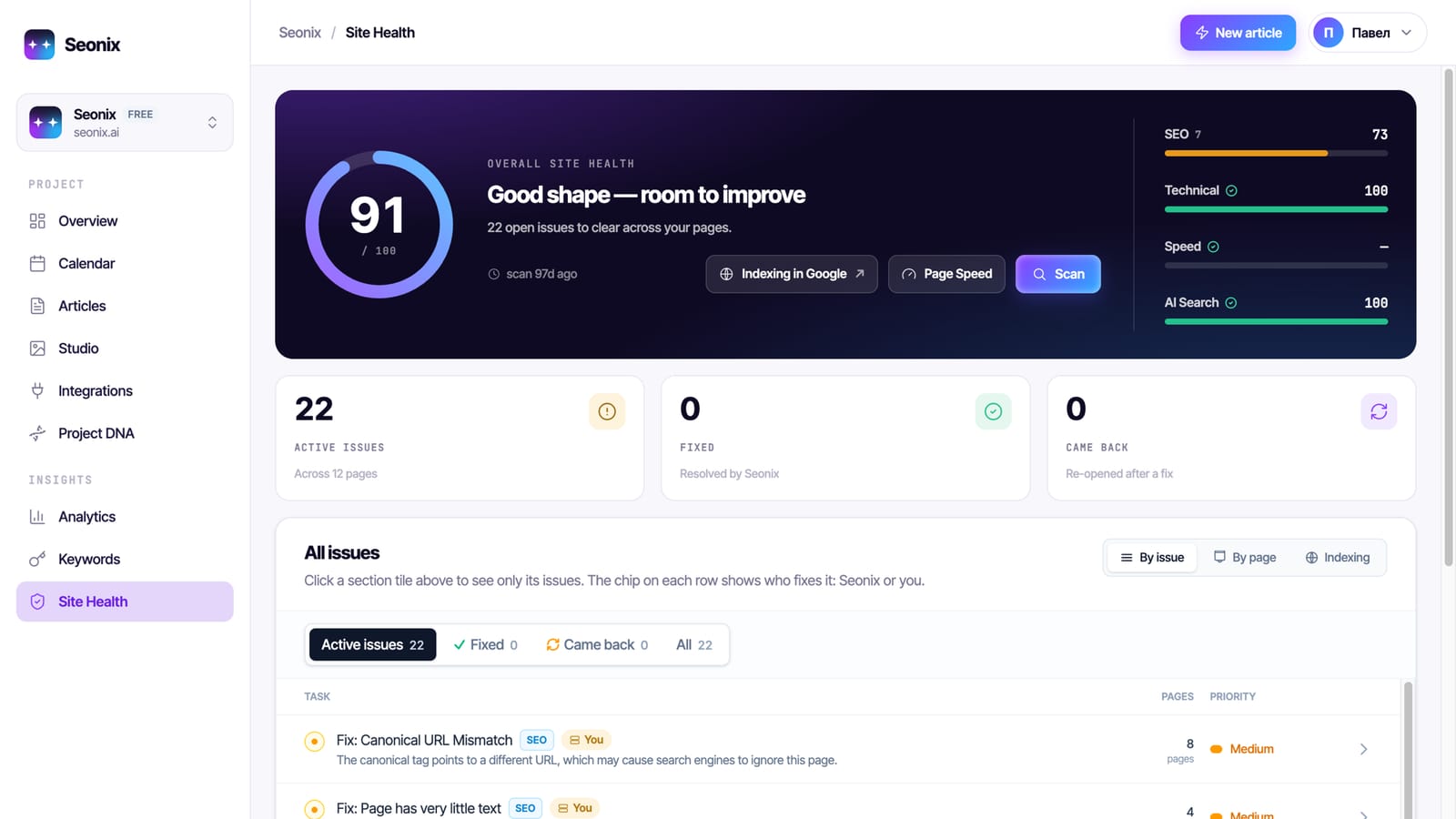
However, the best platform depends on which part of SEO slows your team down most. Seonix fits businesses that want an autopilot-style system for search and AI visibility, because it connects query research, article generation, optimization, publishing, and tracking. Semrush and Ahrefs fit teams that need deep research data, while Surfer SEO fits teams that already have writers and need stronger content scoring.
For a 12-person SaaS company with one marketer, the gap is clear. However, a research-only tool may produce a long list of keyword ideas, but the marketer still needs briefs, articles, uploads, internal review, and reporting. A content automation system removes more of that chain, so the same marketer can focus on product launches, conversion pages, and sales enablement.
What Is an SEO Automation Platform?
An SEO automation platform is a system that turns repeatable SEO tasks into scheduled, rules-based workflows. The main tasks include keyword research, clustering, technical checks, content briefs, article production, publishing, rank tracking, backlink monitoring, and reporting. The best tools connect several of these steps instead of treating each task as a separate project.

Automated keyword research and clustering matter because most sites compete across hundreds of specific questions, not only 10 core keywords. For example, a B2B payroll site may target “payroll software for contractors,” “weekly payroll compliance,” and “payroll reports for CFOs” as separate clusters. Manual research can find those ideas, but automation keeps finding new ones as search demand changes.
Technical audits and issue monitoring form the second layer. A platform can flag broken pages, missing titles, crawl errors, duplicate metadata, slow templates, and indexation drops. However, some technical fixes still need a developer, especially when the issue sits inside the site theme, routing logic, or JavaScript rendering.
Good to know: Automation works best when the task has a repeatable input and a clear output, such as “find ranking drops every Monday” or “publish approved articles to WordPress.” Strategy calls, brand positioning, and legal claims still need human judgment.
Where AI-Assisted Workflows Fit
AI-assisted SEO workflows support humans by drafting briefs, suggesting content gaps, and creating first drafts. However, full workflow automation goes further because it connects the steps before and after the draft. That difference matters because a draft sitting in a document still creates upload, formatting, internal linking, and tracking work.
A practical example is an article pipeline for a local service company. The platform clusters city and service queries, creates article plans, drafts each article, sends them through approval, publishes them through the CMS, and tracks impressions after indexing. In contrast, a writer-only AI tool handles only one step in that sequence.
How Much SEO Workflow Can Each Platform Automate?
Each SEO automation platform automates a different share of the workflow, so compare the work removed, not only the feature list. A content-first automation platform can cover research, writing, optimization, publishing, and performance tracking. A specialist tool may automate rank tracking, technical crawling, or backlink alerts, but still leave execution to your team.
For instance, rank tracking across markets and devices is a common example. A tool can monitor desktop and mobile rankings in the United States, United Kingdom, and Germany every day, then push alerts when pages move. That saves reporting time, yet it does not create new content or fix a page with weak conversion intent.
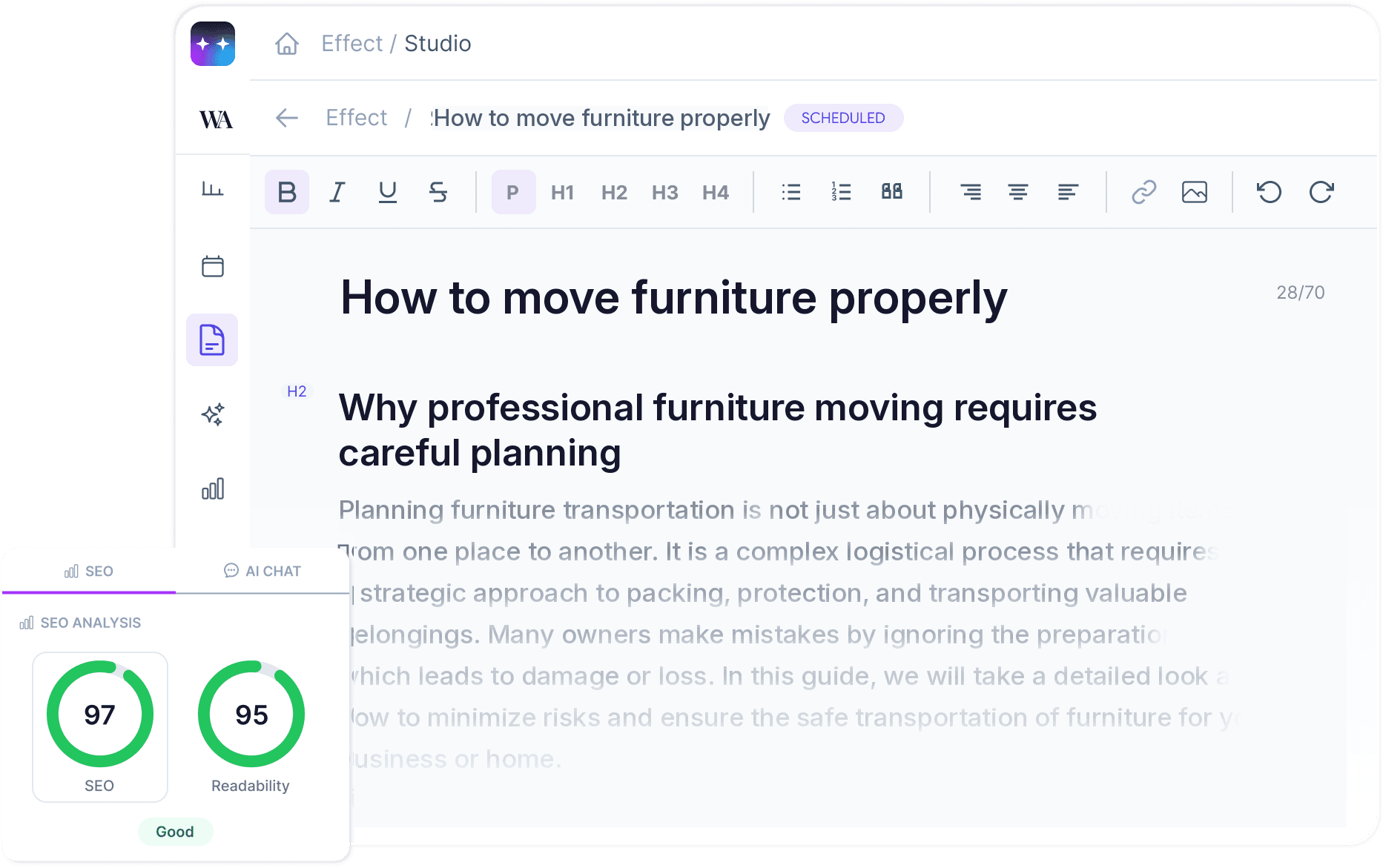
Content briefs and optimization workflows also vary. Some tools only score an existing draft against competing pages. Others generate briefs with search intent, headings, target questions, internal link suggestions, and recommended metadata. The strongest workflow then moves the approved article into the website without a manual CMS upload.
The real value of SEO automation is not more dashboards. The real value is fewer unfinished tasks between search demand and published pages.
Backlink monitoring and outreach support sit in a different lane. For example, Ahrefs-style research tools can surface new and lost links, competitor referring domains, and anchor text changes. Outreach still needs careful human review because poor prospecting can damage brand trust in one email.
Automation Depth by Task Type
Teams should rate every task on a simple 0 to 3 scale. Score 0 when the platform only stores data, 1 when it suggests actions, 2 when it creates work products, and 3 when it executes the task after approval. This scoring method makes feature claims easier to compare.
- Keyword research and clustering: target score 2 or 3 for content-led growth.
- Technical audits and issue monitoring: target score 2 for most websites.
- Rank tracking across markets and devices: target score 2 or 3 for agencies.
- Content briefs and optimization workflows: target score 3 for lean marketing teams.
- Backlink monitoring and outreach support: target score 1 or 2 with human review.
- Automated SEO reporting dashboards: target score 3 for stakeholder updates.
Rule of thumb: If a task repeats every week and takes more than 2 hours, automate at least the data collection, draft output, or reporting step first.
Which SEO Automation Platform Fits Each Business Type?
The best SEO automation platform for small businesses is usually the one that handles the most work with the least setup. Agencies need multi-client reporting and governance. SaaS companies need scalable content tied to product use cases. B2B teams need high-intent articles that support lead generation, sales trust, and brand visibility in search and AI answers.

Best Fit for Small Businesses
Small businesses should choose an automation platform that can publish optimized articles directly to their existing website. A founder or small marketing team rarely has 15 hours each week for keyword research, content briefs, writing, uploads, and tracking. Therefore, Seonix is a strong fit when the goal is steady content output without building an SEO department.
For a 40-page service site, the first 90 days can focus on query discovery, topic clusters, and article publishing. A practical target is 8 to 16 quality articles per month if the site has enough service depth. Additionally, technical monitoring should run in the background, but content execution usually creates the faster growth path.
Best Fit for Agencies
Agencies need automation that scales across accounts without weakening review control. Reporting dashboards, client permissions, rank tracking, and workflow templates matter because one account manager may handle multiple clients. AgencyAnalytics fits reporting-heavy operations, while Semrush and Ahrefs support research-heavy teams.
Teams that sell done-for-you SEO content need a stronger publishing layer. In that case, an automated system that supports client-specific approvals and direct publishing can reduce internal bottlenecks. Moreover, a managed content pipeline keeps delivery visible, which helps account managers avoid late-month reporting scrambles.
Best Fit for SaaS and B2B Teams
SaaS and B2B teams should prioritize query research, product-led content, integrations, and conversion reporting. Search demand often breaks into problem, comparison, integration, pricing, and use-case queries. A B2B workflow should map those queries to pages that support demos, trials, pipeline influence, and AI answer visibility.
For example, a SaaS company selling compliance software might build clusters around “audit checklist,” “policy management,” “vendor risk,” and “compliance reporting.” Each cluster can support multiple articles, plus internal links to feature pages. The platform should track which pages gain impressions, rankings, and leads over time.
Watch out: A high ranking for a low-intent keyword can look good in a dashboard but produce no pipeline. Compare rankings with leads, trials, demo requests, or assisted conversions at least once per month.
What Pricing and ROI Factors Should You Compare?
Compare pricing by total cost of ownership, not just monthly subscription cost. The true cost includes software fees, setup time, writer or editor hours, developer support, approval time, and reporting work. A platform with a higher subscription can still cost less if it removes many manual hours per month.
A simple ROI model starts with hours saved. If a marketer spends 6 hours on keyword research, 8 hours on briefs, 12 hours on editing, 6 hours on uploads, and 4 hours on reporting each month, the manual workload equals 36 hours. At an internal cost of $60 per hour, that workload costs $2,160 per month before software.
Use the same method for growth upside. If automation helps publish 12 optimized articles per month instead of 3, the output increases by 4x. Traffic does not rise in a straight line, but more high-quality pages can create more entry points for buyer queries, brand mentions, and AI answer citations.
Teams that want a deeper model can compare organic value, labor savings, and conversion gains with an SEO ROI calculation framework. The key is to separate hard savings from future upside. Saved hours appear quickly, while ranking gains often need several months.
Worked ROI Example
Example: A small B2B team replaces 36 monthly manual hours with an automation workflow. At $60 per hour, the labor value is $2,160 per month. If the platform and review process still require 8 hours, the remaining labor cost is $480, so the monthly labor saving is about $1,680 before subscription cost.
Simple SEO Automation Platform ROI Calculator
Use this calculator-style model to estimate automation savings before a platform demo. Enter your own numbers for hours saved, internal hourly cost, monthly subscription cost, and expected conversion value.
Calculator rule: Treat labor savings as the conservative case and conversion upside as the growth case. Saved time can be estimated immediately, while traffic, rankings, and lead value should be reviewed over several months.
Moreover, pricing also needs a plan-fit check. Compare article volume, user seats, publishing destinations, API access, approvals, reporting exports, and support response. If a plan lacks direct publishing, your team may still spend 10 to 20 minutes per article on CMS formatting and upload work.
Tip: Count one article upload as 15 minutes for a clean CMS and 30 minutes for a complex CMS. At 20 articles per month, direct publishing can save 5 to 10 hours before any research or writing savings.
How Should You Evaluate Integrations, Governance, and Security?
Evaluate integrations by asking where the platform must send data, publish content, and report results. A useful SEO automation setup should connect with your CMS, analytics stack, approval process, and reporting workflow. Governance matters because automated output needs brand rules, review gates, and clear ownership.

Website integrations decide how much work the platform truly removes. WordPress teams may prefer plugin-based publishing, while custom websites need API-based delivery. Seonix supports direct publishing through options such as a custom REST API integration, which helps teams with existing websites avoid manual article uploads.
CMS publishing deserves close inspection because upload work often hides inside content operations. A team may automate writing, yet still paste text, resize headings, set metadata, add slugs, and schedule posts by hand. Direct website publishing can remove that gap, especially when paired with automated publishing workflows that keep formatting and metadata consistent.
Integration Matrix for Common Marketing Stacks
Use this matrix to compare whether each platform fits your existing website, analytics, CRM, and reporting workflow. Availability can vary by plan, so confirm the exact connection type during procurement.
Governance Controls to Check
Governance is the control system that keeps automated SEO aligned with brand, legal, and quality standards. Strong governance includes user roles, approval states, content rules, source review, edit history, and rollback options. Regulated sectors such as finance, health, and legal services should add stricter review before publication.
Security and data privacy also need direct questions. Ask whether the platform needs CMS admin access, API tokens, analytics data, or customer data. Then limit access to the smallest permission set that supports the workflow. A publishing integration should not receive billing system access, CRM write access, or unrelated customer records.
Quality control should cover factual accuracy, brand voice, duplicate intent, internal links, and metadata. Additionally, teams that plan to scale AI-assisted production should define review rules before volume increases. A practical standard is to require human approval for every article until the workflow has passed at least 20 approved pieces with low revision rates.
When Should Teams Avoid SEO Automation?
Teams should avoid SEO automation when the task requires deep expert judgment, sensitive claims, one-off strategy, or high-risk outreach. Automation can speed research, drafts, reporting, and monitoring, but it should not replace legal review, product positioning, crisis content, or relationship-based link building. Manual work still wins when context changes faster than rules can capture.
New companies with unclear positioning should avoid scaling content too early. If the homepage, offer, audience, and conversion path remain unsettled, automated articles may bring traffic that does not convert. A better first step is to define target segments, core use cases, proof points, and calls to action.
Technical SEO can also need manual control. A crawler can detect many broken links, but a developer must decide whether redirects, canonicals, template changes, or content pruning solve the root problem. Automation gives the signal; experts choose the safest fix.
Backlink outreach is another caution zone. Automated prospect lists can help, yet fully automated email outreach often creates poor matches and weak personalization. For high-value B2B brands, a smaller number of well-researched outreach emails can beat a large batch of generic messages.
Manual Versus Automated SEO Decisions
Use a simple decision rule before automating any SEO task. Automate tasks with stable inputs, repeated steps, clear quality checks, and low brand risk. Keep tasks manual when the work depends on strategic trade-offs, legal review, confidential data, or personal relationships.
- Automate keyword clustering, rank tracking, dashboard updates, and recurring reports.
- Partly automate content briefs, metadata, internal link suggestions, and draft creation.
- Review all thought leadership, legal content, pricing claims, and product comparison pages.
- Keep final decisions on redirects, pruning, and major information architecture manual.
Common mistake: Do not automate volume before fixing measurement. If analytics cannot connect articles to leads or trials, more content may hide weak conversion paths for months.
Practical Recommendations for Shortlisting an SEO Automation Platform
Shortlist an SEO automation platform by scoring workflow removal, integration fit, governance, reporting, and ROI potential. The strongest choice is the platform that removes the most repeatable work without creating quality risk. A good buying process can be completed quickly if the team defines goals before product demos.
Start by naming the primary bottleneck. Small teams often need content production and publishing. Agencies often need reporting, multi-client workflows, and repeatable briefs. SaaS and B2B teams often need search demand mapped to product use cases, demo intent, and educational content.
Next, test implementation effort. Ask how the platform connects to your CMS, what access it needs, how approvals work, and who owns final publishing. WordPress users may prefer a plugin route, while custom websites need API documentation and developer time. A basic API connection can take a few hours for a prepared developer, while a complex CMS workflow can need several days.
Finally, score each platform against outcomes, not feature names. A tool that reports 50 metrics may still fail if nobody acts on them. In contrast, a tool that publishes 10 approved articles and tracks their growth each month can create a clearer link to organic traffic and leads.
Implementation Roadmap for Business Teams
Use a phased rollout so automation improves output without creating review risk. The goal is to connect strategy, integrations, approvals, publishing, and measurement before increasing volume.
- Week 1: Define goals and baseline. Choose the main outcome, such as content scale, lead growth, reporting speed, or search visibility. Record current rankings, traffic, leads, manual hours, and publishing pace.
- Week 2: Confirm workflow and integrations. Map who approves topics, drafts, metadata, publishing, and reporting. Test CMS access, API access, analytics data, Google Search Console visibility, and reporting needs.
- Weeks 3 to 4: Run a controlled pilot. Publish a small batch of approved articles or automate one reporting workflow. Check formatting, brand voice, internal links, metadata, indexation, and stakeholder review time.
- Month 2: Expand volume carefully. Increase output only after the first workflow meets quality standards. Compare saved hours, remaining review work, traffic movement, and early conversion signals.
- Month 3 and beyond: Optimize and govern. Review top pages, weak pages, conversion paths, and approval rules each month. Keep strategy and final judgment human-led while automating repeatable production and reporting tasks.
Buyer Checklist
- Define one primary goal: traffic, leads, content scale, reporting speed, or technical health.
- List the SEO tasks that consume more than 2 hours per week.
- Check whether the platform automates, assists, or only reports each task.
- Confirm CMS, API, analytics, and reporting integrations before signing.
- Review governance controls, approval gates, user roles, and edit history.
- Estimate saved hours, remaining review time, and likely subscription cost.
- Run a small pilot with 3 to 10 articles or one reporting workflow.
- Measure output quality, setup time, traffic movement, and team adoption.
If pricing is the final blocker, compare plan limits against your real publishing pace. A business that needs 4 articles per month should not buy a plan built for 60. A team that needs 30 articles across multiple sites should avoid a tool that still requires manual uploads for every piece. For plan evaluation, review automation pricing against your monthly content target.
Conclusion: Choosing the Right SEO Automation Platform
The right SEO automation platform should match your growth stage, workflow, and quality risk. Small businesses should favor research-to-publishing automation. Agencies should prioritize multi-client controls, repeatable reports, and approvals. SaaS and B2B teams should connect content output with product-led search demand, demo intent, and measurable pipeline signals.
A platform comparison only works when you score the work removed from your team. Research tools, content optimizers, technical crawlers, backlink monitors, and reporting dashboards all help, but each solves a different slice of SEO. The best fit is the system that turns customer questions into optimized, published, tracked pages with the least manual drag.
At Seonix, we recommend automating the boring middle of SEO and keeping humans on strategy, product truth, and final judgment. We would rather publish fewer approved articles with clear intent than push a high volume of weak pages into search. As a result, automation can compound into real business growth without losing quality control.
FAQ
These quick answers help teams compare platform fit, automation scope, integrations, and ROI before a demo.
Which SEO automation platform is best for small businesses?
Seonix is a strong fit for small businesses that want SEO content researched, written, optimized, published, and tracked without hiring a full SEO team. A small company should choose the platform that removes the most weekly work, especially keyword research, article creation, CMS uploads, and reporting.
Which SEO automation platform is best for agencies?
Agencies should choose platforms with multi-client reporting, rank tracking, approvals, and repeatable workflows. AgencyAnalytics fits reporting-heavy agencies, while Semrush and Ahrefs support research-heavy teams. In addition, agencies that sell content delivery should compare direct publishing, client approval controls, and per-site workflow management.
How much of SEO can be fully automated?
SEO platforms can fully automate many repeatable tasks, including rank tracking, reporting dashboards, keyword clustering, alerts, and scheduled publishing after approval. However, strategy, legal review, product positioning, technical architecture decisions, and high-value outreach should stay human-led because those tasks carry higher brand and business risk.
What integrations matter most in an SEO automation platform?
The most important integrations are CMS publishing, analytics, rank tracking, API access, reporting exports, and approval workflows. WordPress teams may want plugin support, while custom sites need REST API options. Strong integrations reduce manual uploads, duplicate reporting work, and delays between content approval and publication.
How should a business calculate ROI from SEO automation?
Calculate ROI by adding saved labor hours, avoided contractor work, and future organic growth potential. Start with weekly hours spent on research, briefs, writing, uploads, and reporting. Then multiply those hours by internal cost per hour. Compare that value with subscription cost, review time, and traffic or lead gains over several months.
Want to test the workflow before changing your full content process? Start with a focused pilot and see how automated research, writing, and publishing fit your site. Seonix offers a 3-article trial workflow so your team can review real output before committing.